
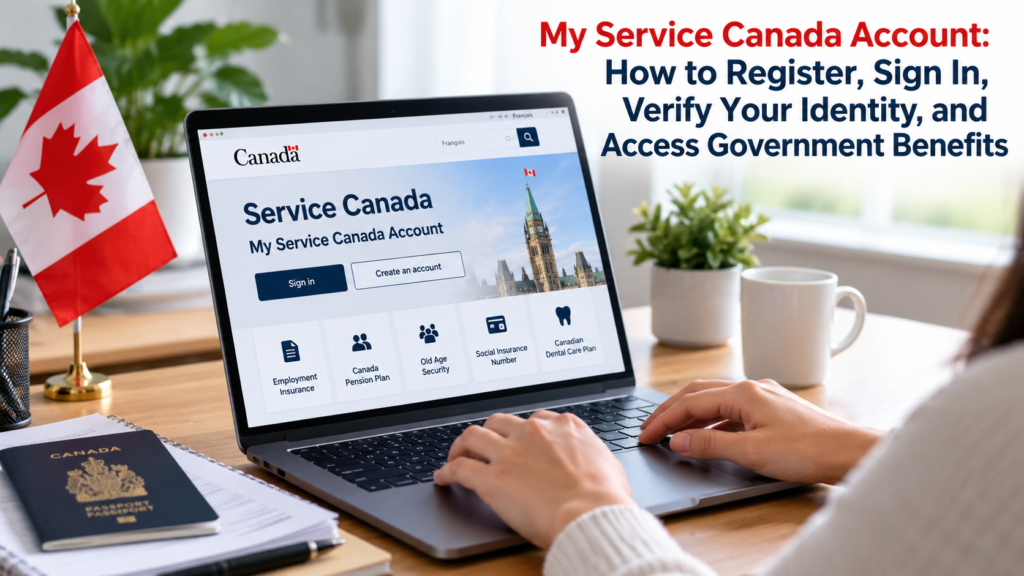
My Service Canada Account, commonly called MSCA, is a secure Government of Canada online portal that lets individuals access and manage information connected to federal benefits and services. Through one account, users can review Employment Insurance information, Canada Pension Plan benefits, Old Age Security details, Social Insurance Number information, Canadian Dental Care Plan information, and several other federal programs.
Using My Service Canada Account can reduce the need to contact Service Canada by telephone or visit a Service Canada Centre for routine account tasks. Depending on the program, users may check payment information, review application updates, obtain tax slips, access Records of Employment, apply for certain benefits, or update selected personal information.
The registration process requires users to establish a secure sign-in method and verify their identity. The available sign-in methods currently include GCKey, Interac Sign-In Partner, and provincial sign-in for eligible residents of Alberta and British Columbia.
The following guide explains how to create a My Service Canada Account, sign in securely, complete identity verification, access major government programs, solve common login problems, and protect personal information.
Gather the Information Required to Create Your Account
Before creating a My Service Canada Account, prepare the information needed to establish your identity. Having the correct details available makes registration faster and reduces the likelihood of receiving an error during verification.
The Government of Canada states that individuals registering for MSCA must generally be at least 12 years old. Users must create and use their own account. Another person cannot create or access an MSCA account on someone’s behalf through the individual’s personal login.
Depending on your circumstances and registration method, you may need information such as your Social Insurance Number (SIN), Birth Registration Number, or Unique Client Identifier (UCI). The registration system determines which information is required based on the answers you provide during account creation.
Identity verification may require one of several additional methods. Current options may include the Interac verification service, a SIN application number for eligible applicants, or a Personal Access Code issued by Service Canada.
| Registration Requirement | Purpose |
|---|---|
| Social Insurance Number | Connects eligible Service Canada records to the individual |
| Birth Registration Number | May be used when required during registration |
| Unique Client Identifier | May be available to certain individuals with Canadian immigration records |
| Interac verification service | Provides electronic identity verification through participating financial institutions |
| SIN application number | May verify identity following an online SIN application |
| Personal Access Code | Allows Service Canada to confirm identity during registration |
Users should enter personal information exactly as it appears in government records. Differences involving names, dates of birth, or other identifying information can interfere with account registration.
Choose a My Service Canada Account Sign-In Method
My Service Canada Account currently provides several ways to establish secure access. Users can register through GCKey, an Interac Sign-In Partner, or an eligible provincial sign-in service. The appropriate option depends on personal preference and availability.
GCKey provides a Government of Canada username and password. An individual can generally use the same GCKey credential with multiple federal online services that support GCKey. However, using the same GCKey does not mean all government programs are combined into one account. Each service may still require its own registration process.
Interac Sign-In Partner allows users to authenticate using credentials associated with a participating financial institution. The Government of Canada does not require users to create another banking password specifically for MSCA. Authentication occurs through the sign-in partner process.
Provincial sign-in is currently available through the Alberta.ca Account and BC Services Card. This option is limited to eligible residents of Alberta and British Columbia. People living outside those provinces can use GCKey or an available bank sign-in option instead.
| Sign-In Method | Credential Used | Availability |
|---|---|---|
| GCKey | Government of Canada username and password | Generally available to eligible MSCA users |
| Interac Sign-In Partner | Participating financial institution credentials | Depends on supported institutions |
| Alberta.ca Account | Provincial account credentials | Eligible Alberta residents |
| BC Services Card | Provincial identity credentials | Eligible British Columbia residents |
After registering a sign-in method, use that method when returning to the account. Canada.ca advises that the method used during registration is connected with the MSCA user profile. Registering another method may be necessary if you want to access the account through a different authentication option later.
Register for My Service Canada Account Online
Start registration from the official My Service Canada Account page on Canada.ca. Selecting the account creation option begins the registration process and allows you to choose your preferred sign-in method.
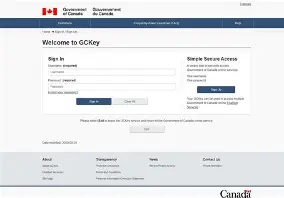
Users who choose GCKey may either sign in with an existing GCKey or create one. A new GCKey requires the creation of a username, password, and account recovery information. Once those credentials are established, the user continues to MSCA registration.
Users selecting an Interac Sign-In Partner choose an available participating financial institution and authenticate through its sign-in process. This authentication identifies the user to the government service without requiring the financial institution to provide detailed banking information to MSCA.
Residents using eligible provincial credentials follow the instructions provided for Alberta.ca Account or BC Services Card authentication. The provincial option performs identity confirmation through the participating provincial service.
After completing the authentication stage, users provide the personal information requested by MSCA. The system may ask for identifying information such as a SIN, UCI, or Birth Registration Number depending on eligibility and circumstances.
Completing the sign-in credential stage does not necessarily complete MSCA registration. Identity verification may still be required before full account access becomes available.
Verify Your Identity During Registration
Identity verification connects the person creating the account with the Service Canada information associated with that individual. The available method depends on the user’s records and circumstances.
One option is the Interac verification service. Participating financial institutions can help verify an individual’s identity electronically. Canada.ca currently lists institutions including BMO, CIBC, Desjardins, National Bank, RBC, Scotiabank, TD, and several participating credit unions among the supported options. The available list can change, so users should check the registration page when creating an account.
Another option may be a SIN application number. People who submitted an online Social Insurance Number application can receive a 12-character application number. When available, that number may be used as part of the MSCA identity verification process.
A Personal Access Code, or PAC, provides another verification method. The PAC is a seven-digit code issued by Service Canada. Individuals who already applied for certain CPP or OAS benefits may have received one by mail.
Successful verification establishes the connection between the secure login credential and the person’s Service Canada profile.
Request a Personal Access Code When Needed
Users who cannot complete registration using another available verification method may be able to request a Personal Access Code.
Service Canada allows eligible individuals to request a PAC online. The Government of Canada states that an online PAC request generally requires the user’s Social Insurance Number, first name, last name, date of birth, and postal code for Canadian residents or country of residence for individuals living outside Canada.
Once the request is processed, Service Canada mails the Personal Access Code to the address it has on file. Canada.ca currently advises that the code is generally mailed within 5 to 10 business days after an online request.
The code should be stored securely because it is used to confirm identity. Users should not provide their PAC to another person or enter it on an untrusted website.
When the code arrives, return to the official My Service Canada Account registration process and use the PAC when prompted to finish identity verification.
Set Up Multi-Factor Authentication for Secure Access
Users accessing My Service Canada Account through GCKey are required to complete an additional authentication step. Multi-factor authentication strengthens account security by requiring something beyond the GCKey username and password.
According to Canada.ca, users may need to enter a security code each time they access MSCA through the applicable authentication process. Provincial sign-in users follow the identity confirmation methods provided by Alberta or British Columbia instead.
When setting up multi-factor authentication, follow the prompts presented after signing in. Depending on the currently available methods, the system will provide options for receiving or generating authentication codes.
Recovery codes are especially important. Canada.ca advises users who change their authentication method to save new recovery codes securely because older recovery codes stop working after the authentication method is updated.
Keep recovery information separate from the password used to access GCKey. Someone who obtains both credentials and recovery information could potentially have a greater opportunity to attempt unauthorized account access.
Sign In to My Service Canada Account Safely
Returning users should begin from the official Canada.ca My Service Canada Account page. The page provides separate buttons for GCKey, Interac Sign-In Partner, and provincial authentication.
Select the same sign-in method associated with your MSCA profile. A user who originally registered using GCKey should normally continue using the GCKey option. Similarly, users registered through an Interac Sign-In Partner should select the bank sign-in option.
After authenticating, complete any additional security verification requested by the service. Users accessing MSCA through GCKey may need to provide their multi-factor authentication code.
Do not use links contained in unexpected messages that claim to lead directly to your Service Canada account. Instead, navigate to the Government of Canada website independently.
Service Canada specifically warns that it will not ask users to provide passwords or personal information through unsolicited emails, text messages, or links. Suspicious messages should be treated cautiously.
Access Employment Insurance Information
My Service Canada Account provides several online tools connected with Employment Insurance, commonly called EI. This makes MSCA particularly useful for workers applying for or receiving EI benefits.
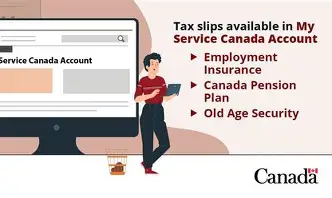
Users may be able to review claim information, payment information, tax slips, and other information associated with an EI file. Service Canada identifies Employment Insurance as one of the major programs accessible through MSCA.
Employees can also access electronic Records of Employment, or ROEs, through My Service Canada Account when those records have been submitted electronically and are available in the system. Service Canada specifically directs employees looking for their ROE to MSCA, while employers use the separate ROE Web system.
An ROE records employment details that Service Canada may use when processing an Employment Insurance claim. Reviewing available ROEs can therefore help applicants confirm whether relevant employer records have reached Service Canada.
Keep in mind that the separate EI Internet Reporting Service may still be required for certain regular EI claimant reports. MSCA and EI reporting are related government services, but they are not necessarily the same online process.
Manage Canada Pension Plan Information
My Service Canada Account also provides access to Canada Pension Plan, or CPP, services. Individuals approaching retirement or already receiving CPP benefits can use MSCA to review pension-related information.
Depending on eligibility and the specific benefit involved, users may be able to apply for CPP benefits, review payment details, monitor application information, and obtain relevant tax slips.
CPP retirement pension information is particularly useful for people planning retirement because Service Canada records contain contribution and benefit information relevant to the federal pension program.
MSCA also supports services associated with CPP disability benefits, another program identified by Service Canada as available through the account.
CPP users should review their account periodically when an application is active. Online updates can provide useful information before formal correspondence arrives by mail.
Access Old Age Security Benefits
Old Age Security, commonly abbreviated as OAS, is another major program supported through My Service Canada Account.
Eligible individuals may use MSCA to apply for certain OAS benefits, view benefit information, check payment details, or access related tax documents. Service Canada lists OAS among the federal programs supported through its secure account services.
Related income-tested benefits may also have online application options. For example, Canada.ca directs eligible applicants for the Allowance associated with the Guaranteed Income Supplement program to apply through My Service Canada Account.
Because eligibility and payment amounts can depend on age, residency history, marital status, and income information, users should confirm the requirements for the particular OAS benefit they are considering.
MSCA provides the account access layer, while the individual benefit program determines qualification and payment rules.
Review Your Social Insurance Number Information
My Service Canada Account provides online access to certain Social Insurance Number services.
Individuals who applied for a SIN online and selected online access may be able to use MSCA to view or print their Social Insurance Number after the application has been processed. Canada.ca states that a complete online SIN application is generally processed in about five business days, although processing can vary when additional information is required.
Applicants who provide an email address may receive notification when Service Canada receives the SIN application and another notification after processing.
A Social Insurance Number is sensitive personal information. Avoid storing an unsecured screenshot or sending the number through ordinary email or text messaging.
Users should also distinguish between viewing SIN information and using a SIN as part of MSCA registration. The SIN can help connect government records, while the MSCA itself provides the secure online environment for viewing eligible information.
Access Canadian Dental Care Plan Information
My Service Canada Account also supports information associated with the Canadian Dental Care Plan, or CDCP.
Service Canada lists the Canadian Dental Care Plan among the services that can be accessed through MSCA. Depending on the stage of an individual’s application or coverage, available information may include details related to their file.
The exact functions available can change as government digital services are updated. Users should therefore rely on the options displayed in their account rather than assuming that every CDCP transaction can be completed directly through MSCA.
The account serves as a central access point, while some services may redirect users to another secure government or program-specific system.
Access Student and Apprentice Loan Services
Service Canada also identifies the National Student Loans Service Centre and Canada Apprentice Loan among services connected with its digital service environment.
The Canada Apprentice Loan service supports eligible apprentices participating in designated Red Seal trades. Depending on the service, MSCA can help users reach relevant account information or connected online services.
Student loan borrowers should recognize that the National Student Loans Service Centre maintains its own service functions. Access through a broader federal account environment does not mean all loan management activities are necessarily performed directly inside the main MSCA dashboard.
Always follow the official navigation provided after signing in.
Update Personal Information Through the Correct Service
Users commonly search for My Service Canada Account because they need to change a mailing address, telephone number, or direct deposit information.
The correct method depends on the program. Canada.ca directs users to its personal information guidance for the available methods used to change direct deposit information, mailing addresses, or telephone numbers.
An update made for one federal program may not automatically update every other Government of Canada organization.
For example, My Service Canada Account and CRA My Account are separate government accounts. MSCA primarily covers Service Canada programs, while CRA My Account handles personal income tax information and many CRA-administered credits and benefits. Canada.ca specifically directs users seeking personal tax slips such as T3, T4, T5 and similar income tax records to CRA My Account rather than MSCA.
Check which department administers the program before changing account information.
Recover Your GCKey Username or Password
Users who cannot access their account because of forgotten GCKey credentials should use the official GCKey recovery options rather than creating multiple accounts unnecessarily.
GCKey provides tools for forgotten usernames, forgotten passwords, password changes, recovery questions, and revoked credentials.
If you still know your username but forgot the password, follow the password recovery process presented on the GCKey sign-in page. Recovery information created when establishing the credential may be required.
If both credentials are unavailable, follow Canada’s current GCKey account recovery instructions carefully. Creating a new credential can sometimes require the user to reconnect that credential with the relevant government service.
Users should also remember that GCKey and My Service Canada Account are not identical. GCKey provides authentication credentials. MSCA is the Service Canada account containing access to eligible benefit and program information.
Restore Multi-Factor Authentication Access
Losing access to the device or method used for multi-factor authentication can prevent successful MSCA sign-in.
If a user still has access to the existing authentication method, Canada.ca instructs the individual to sign in with the GCKey username and password, complete current authentication, and then use the option to change the multi-factor authentication method.
If the original method is unavailable, a previously saved recovery code may help restore account access. The user can select the account recovery option on the two-factor authentication page and enter a valid recovery code.
Once access is restored, configure the new authentication method and save the newly generated recovery codes securely.
Do not keep the only copy of recovery information on a phone that could be lost, damaged, or replaced.
Fix Common Browser and Sign-In Problems
Some MSCA sign-in problems originate from the browser rather than the government account itself.
Canada.ca recommends using a modern browser such as Chrome, Firefox, Microsoft Edge, or Safari. GCKey also requires browser functions including JavaScript and cookies to operate correctly.
Users should avoid bookmarking a page displayed after authentication because secure session pages may not work correctly when opened directly later. Instead, begin from the official MSCA sign-in page.
If a browser reports that it cannot establish a secure connection or display the page, updating the browser may resolve the issue.
Other useful troubleshooting steps include closing old login tabs, checking whether cookies are blocked, disabling problematic browser extensions temporarily, and starting a new secure session from Canada.ca.
Government services occasionally undergo scheduled maintenance. If credentials appear correct but the service is temporarily unavailable, check the official MSCA page for a maintenance notice before repeatedly resetting passwords.
Protect Your My Service Canada Account From Fraud
My Service Canada Account can contain highly sensitive information, including benefit details and identifying information. Secure account habits are therefore essential.
Service Canada warns users about suspicious emails and text messages and states that it will not request passwords or personal information through unsolicited messages or links.
Always access MSCA by navigating to Canada.ca rather than searching for an unfamiliar login link in an email.
Use a strong password for GCKey that is not reused across unrelated websites. Password reuse increases risk because credentials stolen from one service may be tested against other accounts.
If suspicious activity appears in your account, change the relevant credentials promptly. For Interac Sign-In Partner users, password changes are handled through the financial institution. GCKey users can update their password through GCKey. Provincial users should follow their respective Alberta.ca Account or BC Services Card security procedures.
People using a shared or public computer should sign out when finished, close the browser, and take additional precautions to prevent personal information from remaining accessible. Service Canada specifically recommends clearing the browser cache before leaving a public computer after using certain secure services.
Separate My Service Canada Account From CRA My Account
My Service Canada Account and CRA My Account are frequently confused because both provide access to Government of Canada services.
MSCA is administered within the Service Canada and Employment and Social Development Canada environment. It focuses on programs such as Employment Insurance, Canada Pension Plan, Old Age Security, Social Insurance Number services, and other programs supported through Service Canada.
CRA My Account is operated by the Canada Revenue Agency and focuses on individual tax records, tax returns, notices of assessment, tax credits, and CRA-administered benefits.
The Government of Canada’s online account directory lists these as separate services.
A person may therefore need both accounts. Someone receiving Employment Insurance while also managing an income tax return could use MSCA for employment benefit information and CRA My Account for tax information.
Using GCKey or another authentication option does not merge the records held by separate government departments.
Contact Service Canada When Online Access Does Not Work
Some problems cannot be resolved through automated account recovery.
Service Canada provides assistance for My Service Canada Account enquiries, including account registration and authentication issues.
Users who have a locked account, cannot change their sign-in option, cannot complete registration, or continue receiving authentication errors should use the contact information published on Canada.ca.
When contacting Service Canada, have enough information available to allow identity verification, but never disclose sensitive credentials such as your password.
In-person support may also be available through Service Canada Centres for certain government services. The appropriate support channel depends on the specific program and account problem.
Account authentication problems and benefit eligibility problems are also different issues. The MSCA support team may help restore account access, while an EI, CPP, OAS, SIN, or other program representative may need to answer questions about a particular application or payment.
Review Your Account Regularly After Registration
Creating My Service Canada Account is generally a one-time registration process. After setup, users return through their registered authentication method.
Regular account reviews can help individuals identify new correspondence, confirm payments, check application activity, review employment records, and obtain available tax documents.
People actively receiving EI, CPP, OAS, or another Service Canada benefit may benefit from checking their account when expecting a payment or application update.
Users should also review their contact and direct deposit information when circumstances change. Because update methods vary across programs, verify that changes have been made in every relevant government system.
Government online services evolve over time, so account menus and available functions may change. The official Canada.ca My Service Canada Account dashboard remains the most reliable source for the functions currently available to a particular user.
Conclusion
My Service Canada Account provides a secure online gateway to many of Canada’s most widely used federal benefits and services. Through MSCA, eligible users can access information associated with Employment Insurance, Canada Pension Plan, CPP disability, Old Age Security, Social Insurance Numbers, the Canadian Dental Care Plan, Canada Apprentice Loans, and other supported programs.
To create an account, users select a supported sign-in method such as GCKey, Interac Sign-In Partner, Alberta.ca Account, or BC Services Card and complete the required identity verification. Verification may involve an Interac service, SIN application number, or Personal Access Code depending on the user’s situation.
After registration, signing in regularly can make it easier to monitor benefit applications, access payment information, retrieve documents, and review government records without making unnecessary telephone calls or office visits.
Security remains equally important. Users should enter MSCA through Canada.ca, protect their passwords and recovery codes, use multi-factor authentication where required, and avoid links in suspicious emails or text messages.
For the most reliable access, start from the official Government of Canada My Service Canada Account page and follow the authentication method connected to your account.
Frequently Asked Questions
Can I create a My Service Canada Account without a GCKey?
Yes. GCKey is only one available sign-in method. Eligible users may also register through an Interac Sign-In Partner, while eligible Alberta and British Columbia residents may use supported provincial sign-in options.
What can I access through My Service Canada Account?
MSCA provides access to services connected with programs including Employment Insurance, Canada Pension Plan, CPP disability, Old Age Security, Social Insurance Number services, the Canadian Dental Care Plan, and Canada Apprentice Loan services. Availability can depend on the individual and program.
How long does a My Service Canada Account Personal Access Code take to arrive?
Service Canada currently states that a PAC requested online is generally mailed to the address on file within 5 to 10 business days.
Is My Service Canada Account the same as CRA My Account?
No. MSCA primarily provides access to Service Canada programs, while CRA My Account provides access to personal tax information and CRA-administered benefits. They are separate Government of Canada accounts.
Can I see my Record of Employment in My Service Canada Account?
Yes. Employees can access available Records of Employment through MSCA when the records have been submitted and are available electronically. Employers use the separate ROE Web service to create and submit ROEs.
Can someone create or use My Service Canada Account for me?
The Government of Canada states that individuals must access and use MSCA as themselves, and another person is not authorized to create or use the personal account on their behalf.