
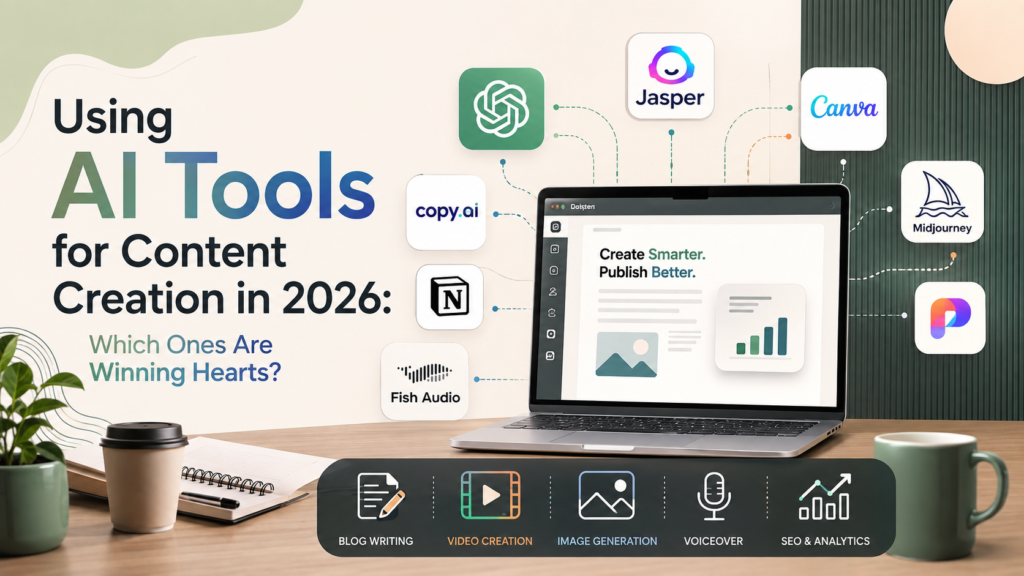
Content creation has been reshaped in barely two years. Writers now use AI to move from research and rough ideas to workable drafts faster. Designers can explore concepts without building every variation manually. Video teams can generate clips, create captions, remove backgrounds, repurpose footage, and test different formats with far less production friction. Audio creators can synthesize narration, repair recorded speech, translate voiceovers, and create authorized voice clones without returning to the microphone for every revision.
This is no longer a niche workflow. Adobe’s 2025 Creators’ Toolkit Report, based on a global survey of 16,000 creators, found that 86% were actively using creative generative AI. The same research found creators using AI for tasks including editing and enhancement, generating new visual and video assets, and brainstorming.
That adoption explains why the discussion around the best AI tools for content creation in 2026 feels different from the conversation of only a few years ago. Creators are no longer asking whether AI can write an article, generate an image, or produce a voiceover. They are asking whether a particular tool can remove an expensive or repetitive step from an existing workflow without lowering the standard of the finished work.
That is a more useful test.
A platform capable of producing 30 social captions in a minute is not necessarily valuable if 28 require heavy rewriting. An image generator does not earn a place in a professional workflow merely because its examples look impressive. A synthetic voice does not become the right choice for a campaign simply because it sounds realistic.
The AI content creation tools gaining ground in 2026 tend to solve specific production problems: slow first drafts, repetitive campaign variations, visual ideation, labor-intensive editing, localization, voiceover production, and the constant need to turn one strong idea into several usable formats.
The winners are not necessarily the tools that generate the most. They are the ones that reduce the distance between an idea and publishable work.
Recognize Why AI Content Tools Have Become Essential
AI content tools have become difficult to ignore because the amount of content businesses and independent creators are expected to produce has increased sharply. A single campaign can now require blog articles, social posts, newsletters, landing pages, product copy, short videos, presentation graphics, audio narration, and localized versions for multiple markets.
Producing each asset independently creates an enormous amount of repeated work.
AI can compress that work by helping teams move faster through research, ideation, first drafts, visual exploration, editing, adaptation, and repurposing. The value is less about replacing the person responsible for the creative decision and more about reducing the number of manual steps required before that person can make it.
Four benefits explain most of the current demand: speed, scale, cost efficiency, and faster iteration.
Increase Production Speed Without Starting From Zero
The blank page is an expensive place to spend creative time.
AI writing tools can turn a brief into headline directions, outline possibilities, questions to research, draft sections, or alternative angles. A writer no longer has to generate every possible starting point manually before deciding which direction deserves attention.
The same advantage appears in visual work.
A designer can test several art directions before committing hours to a finished concept. A video creator can generate captions and identify potential clips without manually scrubbing an entire recording. A podcast producer can create a temporary narration track before recording the final version.
The strongest time savings usually happen before the polished work begins.
AI gives creators something concrete to evaluate. The human job shifts from producing every raw possibility to deciding which possibilities are worth developing.
Scale Content Across More Channels
One strong piece of content rarely stays in one format.
A webinar might become an article, a newsletter, a LinkedIn post, several short videos, a downloadable resource, a sales follow-up, and an audio version. A product announcement might need variants for a website, email subscribers, paid ads, social channels, retailers, and different geographic markets.
Without automation, those adaptations create duplicated effort.
AI tools can help transform a source asset into channel-specific versions while preserving the core message.
Jasper, for example, is increasingly positioned around marketing workflows, brand context, campaign production, and content adaptation rather than simple one-prompt text generation. Copy.ai similarly emphasizes repeatable go-to-market workflows that can combine research, generation, and process automation.
That shift matters because content teams generally do not need another isolated writing box.
They need systems that shorten the path between briefing, drafting, review, revision, repurposing, and publication.
Reduce Routine Production Costs
AI can reduce production costs when it eliminates repeated manual tasks, although it does not make professional content free.
Editors still need time to review facts and structure. Designers still make visual judgments. Marketing teams still approve claims. Producers still listen to generated speech before publishing it.
The savings come from removing work that does not require the highest level of human expertise.
A training team may avoid rerecording an entire video because three lines changed. A social media manager can compare multiple caption directions before refining one. A designer can explore several background concepts before building the final composition. A marketing team can create rough campaign variants without commissioning each version from scratch.
That creates a more useful economic question than “Can AI replace this person?”
The better question is: Which production steps are consuming skilled time without actually requiring skilled judgment?
Those are often the first steps worth automating.
Iterate Before Publishing
Iteration is where AI can quietly produce some of its biggest gains.
Creative work improves through alternatives. The problem is that generating alternatives traditionally takes time.
Trying five headlines means writing five headlines. Testing three visual directions means creating three concepts. Comparing voiceover styles requires recording multiple performances or directing several takes.
AI lowers the cost of exploring those options.
A creator can compare opening hooks, shorten a script for another platform, test different thumbnail ideas, hear narration at different speeds, generate visual variations, or reframe a message for a second audience before committing to the final version.
The first output does not need to be exceptional.
Its value may simply be that it reveals a stronger second or third direction.
Industry observers note that this is one of the more durable advantages of AI-assisted creative work: the technology is often most useful when it expands the number of ideas a person can evaluate rather than attempting to make the final creative judgment on their behalf.
Choose AI Writing and Copy Tools for Faster Editorial Work
AI writing software has expanded far beyond autocomplete and generic blog generation. The more useful platforms in 2026 increasingly combine drafting with brand guidance, research, editing, search optimization, repurposing, and workflow automation.
Different tools are built for different parts of the editorial process, so the best choice depends on whether the bottleneck is ideation, campaign scale, SEO, or final-stage editing.
Jasper

Jasper is particularly suited to marketing teams that need to produce a large amount of brand-aligned material.
The platform has moved beyond simple prompt-based copywriting toward workflows that incorporate information about brands, audiences, campaigns, and marketing goals. That makes it useful for teams creating advertisements, landing pages, campaign variations, email copy, social content, and other marketing assets that need a relatively consistent voice.
Its strength is not necessarily writing one isolated paragraph better than every competing tool.
The stronger use case is maintaining useful brand and campaign information across a larger content operation, especially when several people are producing related material.
Copy.ai
Copy.ai has increasingly developed around go-to-market workflows and repeatable automation.
Rather than treating every content task as a separate conversation with an AI model, teams can build processes that connect actions such as research, content generation, transformation, and structured output.
That approach is useful for organizations with recurring content tasks.
A B2B marketing team, for example, may regularly turn company research into prospecting copy, campaign material, sales enablement assets, or content briefs. When the same workflow repeats every week, automation can be more valuable than another isolated writing feature.
Copy.ai therefore makes the most sense when content production is part of a wider revenue or go-to-market process.
Writesonic
Writesonic remains closely associated with search-focused content creation.
Its tools support article generation and SEO-oriented workflows designed for publishers, agencies, marketers, and website owners who need to connect writing with discoverability.
That positioning is increasingly relevant as search itself changes.
Content teams now think not only about conventional rankings but also about how information may appear in AI-assisted search experiences and answer systems. Writesonic has expanded its positioning around both traditional search optimization and newer forms of AI visibility.
For teams producing a large volume of search-driven content, that combination can make it more relevant than a general-purpose copy tool.
Grammarly
Grammarly is strongest at a different stage of the writing process.
Instead of asking users to generate every piece from scratch, it works particularly well as an editing and communication layer around writing that already exists.
Its broader AI capabilities now include rewriting, brainstorming, tone adjustments, reader-oriented feedback, writing assistance, and other tools aimed at helping people improve text while working.
That makes Grammarly useful for writers, editors, marketers, students, executives, and teams whose main problem is not generating words but improving clarity and polish.
A rough draft may come from somewhere else. Grammarly earns its value closer to the point where that draft needs to become readable, consistent, and appropriate for its audience.
Build Better Visual Content With AI Design Tools
Visual AI has become one of the fastest-moving areas of content creation.
The category now ranges from approachable design platforms for non-designers to highly flexible image generators and professional creative suites with generative features built directly into established workflows.
Choosing between them depends largely on how much control a creator needs after the initial generation.
Canva AI and Magic Studio
Canva remains one of the most approachable options for people who need visual content without wanting to build every asset from scratch in professional design software.
Its Magic Studio features place AI-assisted creation inside Canva’s familiar environment of templates, presentations, social graphics, brand assets, resizing tools, and drag-and-drop layouts.
That integration is the real advantage.
A social media manager may care less about having the most technically sophisticated image model if a generated visual can immediately be turned into an Instagram post, presentation slide, thumbnail, advertisement, or branded graphic.
For everyday content marketing, presentations, social media production, basic image editing, and campaign adaptation, Canva’s workflow makes it easy to move from idea to usable asset.
Midjourney

Midjourney is better suited to creators who place greater emphasis on visual exploration and distinctive image generation.
It is particularly useful when the goal is not simply to fill a template but to discover an art direction.
Creators use it for mood boards, conceptual campaign imagery, editorial illustrations, stylized scenes, fictional environments, character exploration, thumbnail concepts, and visual brainstorming.
Midjourney often rewards experimentation.
Prompt language, reference imagery, composition, style choices, and repeated refinement can significantly affect the result. A creator willing to explore several directions is likely to get more value from it than someone expecting the first generation to function as a finished commercial asset.
Adobe Firefly
Adobe Firefly is especially relevant to creators already working within Adobe’s creative ecosystem.
Its generative capabilities now extend beyond basic text-to-image workflows into image editing, vector creation, video generation, and other creative tasks.
The practical appeal is workflow continuity.
A professional designer working with Photoshop, Illustrator, Premiere, or related Adobe software may prefer generative tools that sit close to existing project files and editing processes. A generated element can become one step inside a broader production workflow rather than a finished product that must be exported from an unrelated platform.
Firefly therefore makes sense for creators who want generative AI without giving up the deeper editing control associated with traditional creative software.
Add AI Audio and Voice Tools to Content Production
Audio used to be one of the least flexible parts of content production.
Once narration was recorded, even a small script change could mean setting up the microphone again, recreating room conditions, matching the speaker’s tone, recording another take, and editing the replacement into the original track.
Modern AI voice tools can reduce that friction.
For podcasters, video creators, educators, marketers, audiobook producers, and developers, synthetic speech can now serve as narration, temporary audio, localized voiceover, and in some cases a method for repairing existing recordings.
ElevenLabs
ElevenLabs is one of the better-known choices when realistic text-to-speech and voice flexibility are priorities.
Its speech platform includes text-to-speech, voice cloning, multilingual generation, custom voice options, and developer access through APIs.
For creators, that makes ElevenLabs relevant to video narration, audiobooks, localized content, character work, advertisements, explainers, and other projects in which vocal quality carries significant weight.
The platform is also useful when speech needs to become part of a larger application rather than simply being generated as an occasional downloadable audio file.
Descript
Descript is particularly valuable because its AI voice technology is integrated into audio and video editing.
The platform allows creators to work with recorded media through its transcript. AI-generated speech can then be used for certain corrections or additions without treating voice generation as a completely separate workflow.
That can save time for podcasters and video creators.
If a host says the wrong date in a recorded episode, the producer does not necessarily want to open another service, generate a replacement file, download it, import it into the editor, and manually align it.
Descript’s advantage is keeping more of that process in one environment.
Murf AI
Murf AI takes a studio-oriented approach to synthetic narration.
Its tools are aimed at creators and businesses producing voiceovers for explainers, educational material, training courses, product demonstrations, presentations, advertisements, and online videos.
The platform includes text-to-speech alongside controls that can help users adjust delivery, pronunciation, pacing, and emphasis. It also offers voice-related capabilities such as dubbing, translation, cloning, and developer access in parts of its broader product offering.
Murf is therefore a practical option for teams that want a structured voiceover workspace without building a custom speech pipeline.
Fish Audio
Fish Audio is a strong option for creators who need both voice cloning and text-to-speech generation, particularly when narration needs to extend beyond occasional manual exports.
Its developer offering includes a TTS API and voice-cloning capabilities, allowing creators and technical teams to generate speech programmatically. That makes it relevant not only for individual voiceovers but also for publishing systems, applications, automated content pipelines, interactive products, and other workflows where new narration may need to be generated repeatedly.
For content creators, the practical use case is straightforward: an authorized voice can be used consistently across tutorials, videos, podcast material, or other narrated assets without recording every line manually.
As with any voice-cloning system, permission should be treated as a prerequisite. Public access to someone’s recordings is not the same as authorization to create a reusable synthetic version of their voice.
Compare the Best AI Tools for Content Creation in 2026
The most useful comparison is not which AI platform is “best” overall.
It is which tool removes the most friction from a particular stage of production.
| Tool | Category | Best For | Standout Feature |
|---|---|---|---|
| Jasper | Writing and marketing | Campaign teams and brand-led content | Brand-aware marketing workflows |
| Copy.ai | Writing and automation | B2B and repeatable go-to-market processes | Multi-step workflow automation |
| Writesonic | Writing and SEO | Search-driven publishing and content optimization | SEO-focused content workflows |
| Grammarly | Writing and editing | Refining drafts and improving communication | In-context revision and writing assistance |
| Canva AI | Design | Social graphics, presentations, everyday visual content | AI features inside an accessible design platform |
| Midjourney | Image generation | Visual exploration and distinctive creative concepts | Strong stylistic image generation |
| Adobe Firefly | Design and visual production | Professional creative workflows | Generative tools integrated with Adobe’s ecosystem |
| ElevenLabs | Audio and voice | Narration, audiobooks, localization | Expressive TTS and voice cloning |
| Descript | Audio and video editing | Podcasts and creator video | Transcript-based editing with generated speech |
| Murf AI | Audio and voice | Business and educational voiceovers | Studio-oriented narration workflow |
| Fish Audio | Audio and voice | Voice cloning, narration, developer workflows | Voice cloning plus TTS API capabilities |
The table also shows where AI content software is heading.
The stronger products are becoming workflow environments rather than isolated generators.
Jasper carries marketing information through campaigns. Copy.ai connects multiple actions into repeatable processes. Canva combines generation with layout and asset production. Descript places AI speech inside editing. Adobe embeds generative capabilities into established creative applications. ElevenLabs and Fish Audio make speech accessible through APIs so narration can become part of automated systems.
That distinction matters when deciding which subscriptions are actually worth keeping.
Build an AI Tool Stack Around Your Workflow
One of the easiest ways to waste money on AI software is to subscribe to several interesting platforms before identifying what each one is supposed to fix.
Start with the bottleneck instead.
Look at the production process and find the stage that repeatedly consumes time without producing proportional value.
That may be outlining articles, adapting campaigns for social media, producing visual variations, cleaning podcast recordings, translating scripts, or recording routine narration.
Choose tools around those tasks rather than building a collection around feature lists.
Set a Budget Around Repeated Use
Subscription price matters, but usage patterns matter more.
A freelance writer producing several articles each month has different requirements from an agency publishing dozens every week. A YouTube creator generating occasional narration has a different cost profile from an education company producing hours of synthetic speech.
AI platforms may package usage through credits, generated media, minutes, characters, API consumption, or plan-specific feature allowances.
Those details can change.
Instead of comparing only advertised starting tiers, estimate the volume of work the tool will actually need to handle.
Also account for failed attempts.
A generated image may require five revisions. A voiceover sentence may need to be regenerated because the emphasis sounds wrong. An AI-written draft may be produced twice before a usable angle appears.
The cheapest subscription can become expensive if producing one publishable asset requires excessive retries.
Match the Tool to Your Skill Level
More capable software is not always more useful software.
A social media manager who needs fast branded graphics may get considerably more value from Canva than from a professional environment with a steep learning curve.
A designer already working in Adobe software may experience the opposite. Firefly can be valuable precisely because it fits tools and concepts the designer already understands.
The same principle applies to writing.
A marketing department with formal messaging may value Jasper’s brand-oriented workflows. A search-focused publisher may prefer Writesonic. Someone primarily improving existing copy may need Grammarly more than another full-scale generation platform.
Audio follows the same pattern.
A podcaster may prefer Descript because editing and synthetic speech live together. A developer may care more about ElevenLabs or Fish Audio because API access matters.
Choose the tool that makes the existing process easier to operate.
Estimate Your Output Volume
Automation becomes more important as output rises.
If a business publishes one article each month, manually moving text from a writing tool into a CMS is barely an inconvenience.
If it publishes hundreds of assets, the same manual step becomes expensive.
High-volume teams should therefore evaluate features such as reusable workflows, templates, batch processing, brand rules, APIs, integrations, automated handoffs, and team permissions.
At scale, a slightly less impressive generator with a much better workflow can become the stronger choice.
Output quality matters, but so does everything that happens after the Generate button is pressed.
Check Integration Requirements
Before adding an AI tool, ask where its output needs to go next.
If generated copy always moves into a content management system, integration options matter.
If visual content ends up in Canva-based campaigns, generating and editing inside Canva may reduce unnecessary file handling.
If narration needs to be produced dynamically inside an application, a service with an appropriate API can be more useful than a browser-only voice generator.
Fish Audio, for example, supports TTS and voice-oriented developer workflows, while ElevenLabs also provides APIs designed to bring synthetic speech into software products.
Those integrations may not look as exciting as a polished demo.
Over months of production, they can save considerably more time.
Create a Human Review Layer Before Publishing
Faster generation creates another challenge: somebody still has to decide whether the output is good enough to publish.
That responsibility should not disappear into automation.
AI writing can produce convincing but inaccurate claims. Generated images can include inappropriate details or visual inconsistencies. Synthetic speech can mispronounce names, numbers, or technical terms. Automated repurposing can strip an idea of the nuance that made the original material useful.
The risk becomes more significant as AI output grows.
Gartner reported in June 2026 that 49% of surveyed U.S. consumers agreed that generative AI had made the quality of available content worse, showing that higher production volume does not automatically translate into higher perceived value.
That is a useful warning for content teams.
Treat AI output as production material, not automatic finished work.
For articles, verify facts, claims, sources, tone, structure, and originality.
For images, inspect details, brand fit, visual accuracy, and whether the finished asset could mislead an audience.
For audio, listen to the complete file. Fluent speech can still contain incorrect pronunciation or unnatural emphasis.
Voice cloning requires another layer: consent.
Use your own voice or obtain clear authorization from the person whose voice will be reproduced. The fact that someone’s speech is available publicly does not automatically grant permission to create a synthetic replica.
Good AI workflows increase production capacity without weakening accountability.
Combine Specialized Tools Instead of Searching for One Perfect Platform
The 2026 creator stack is increasingly modular.
A content team might draft a campaign with Jasper or Copy.ai, refine language with Grammarly, create supporting graphics in Canva or Adobe Firefly, explore editorial imagery with Midjourney, and produce narration using ElevenLabs, Descript, Murf, or Fish Audio.
That does not mean every creator needs six subscriptions.
It means expecting one platform to dominate every stage of content creation is increasingly unrealistic.
Different tools are strong for different reasons.
A solo creator may need only Canva, a writing assistant, and one audio platform. An SEO agency may put more value on Writesonic and automated editorial workflows. A podcast producer could build most of the workflow around Descript. A larger marketing department may get more from Jasper’s campaign context than from several disconnected writing applications.
The goal is not to assemble the longest AI stack.
It is to create the smallest stack that reliably moves work from idea to publication.
Overlap should be treated as a warning sign.
If three subscriptions all generate roughly the same social copy, one or two of them probably do not belong in the workflow.
Answer Common Questions About AI Content Creation Tools
What are the best AI tools for content creation in 2026?
The best choice depends on the type of content and the stage of production.
Jasper, Copy.ai, Writesonic, and Grammarly serve different writing and marketing needs. Canva, Midjourney, and Adobe Firefly cover visual creation from everyday marketing graphics to more advanced creative exploration. ElevenLabs, Descript, Murf AI, and Fish Audio are notable choices for voice, narration, and audio production.
Most creators will get better results from a small combination of specialized tools than from trying to force one platform into every task.
Can AI create complete content without human editing?
Many AI tools can technically produce complete articles, images, voiceovers, and campaign assets.
That does not mean those outputs should be published without review.
AI can generate factual errors, flatten brand personality, misunderstand an audience, produce generic language, mispronounce terms, or introduce unwanted visual details.
Human review remains important because publishing is ultimately an editorial decision, not a generation task.
Which AI tool is best for social media content?
Canva is particularly useful for social media teams because it combines design, templates, brand assets, format resizing, and AI-assisted creation inside the same environment.
Writing platforms such as Jasper and Copy.ai can help with campaign messaging and caption variations, while Midjourney may be more useful when a campaign needs distinctive conceptual imagery.
The best choice depends on whether the main bottleneck is copy, graphics, ideation, or production volume.
Which AI tools are best for video creators?
Video creators usually benefit from several specialized tools.
Canva and Adobe Firefly can help create visual assets. Descript is particularly useful for editing spoken video and podcast-style material through transcripts. ElevenLabs, Murf AI, and Fish Audio can provide narration or synthetic voiceovers depending on the desired workflow.
Choose based on the production stage that repeatedly slows publishing.
Are AI content creation tools worth paying for?
They can be, but only when they consistently save more time or production effort than they add.
A paid platform that removes several hours of repetitive work each week may be more valuable than multiple free tools that require constant copying, exporting, correcting, and reformatting.
Test the software on genuine work before subscribing.
Measure the quality of the usable output, the editing time it requires, how often it will actually be used, and whether it fits the rest of the production workflow.
Start Building a Smarter AI Content Workflow
The best AI tools for content creation in 2026 are earning their place by reducing production friction, not simply by generating more material.
Jasper helps marketing teams work with campaign and brand information. Copy.ai can automate repeatable go-to-market processes. Writesonic connects AI writing with search-oriented production. Grammarly is valuable when existing writing needs sharper editing and clearer communication.
Canva makes AI-assisted visual creation approachable for everyday content teams. Midjourney remains useful for visual exploration and distinctive creative directions. Adobe Firefly brings generation into a professional design ecosystem where creators can continue refining the work.
For audio, ElevenLabs provides sophisticated text-to-speech and voice options. Descript combines synthetic speech with podcast and video editing. Murf offers a structured voiceover environment for business and educational content. Fish Audio gives creators and developers a useful combination of voice cloning, narration, and TTS API capabilities.
None of those tools belongs in a workflow simply because it is popular.
Start with one bottleneck.
If writing takes too long, test one writing platform on an actual campaign. If social graphics are creating a backlog, compare Canva, Midjourney, and Firefly against the visuals you already publish. If narration slows video production, run the same real script through ElevenLabs, Descript, Murf, and Fish Audio.
Then examine the finished result rather than the demo.
Did the tool reduce editing time? Did it preserve quality? Did it make another step more complicated? Did the output actually sound or look like something the audience should receive?
Keep the tools that remove unnecessary work.
Drop the tools that merely generate more work to review.
In 2026, using more AI is not the competitive advantage. Building a content system in which each AI tool has a clear job is.