
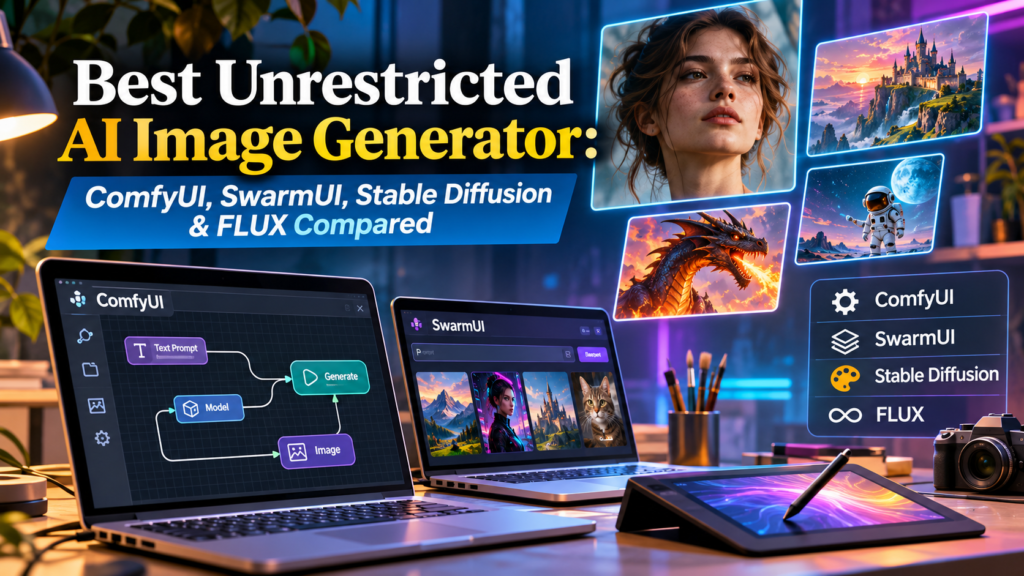
Whether you want to generate photorealistic portraits, fantasy illustrations, fictional characters, concept art, product mockups, or digital artwork, choosing the right AI image generator can make a significant difference in image quality, privacy, and creative flexibility.
Popular options include ComfyUI, SwarmUI, Stable Diffusion, and FLUX models from Black Forest Labs. Some are free to install, support local image generation, and provide extensive customization without requiring recurring image credits.
However, not every generator advertised as unrestricted offers the same capabilities. Some platforms allow unlimited local generation but require powerful hardware. Others provide convenient online access while maintaining content moderation, subscription fees, and licensing conditions.
This guide examines the leading unrestricted AI image generation options, explains their features and limitations, and provides practical instructions for creating high-quality images while maintaining control over your work.
Editorial note: This guide was updated for November 2026 using published developer documentation, official software repositories, and model licensing information. The comparisons are based on documented features rather than claims of independent hands-on benchmark testing. Pricing, model availability, and usage policies may change.
1. Choose the Best Unrestricted AI Image Generator for Your Creative Needs
The best unrestricted AI image generator for most technically comfortable users is ComfyUI because it provides flexible local workflows, supports numerous compatible image models, and allows detailed control over image creation. SwarmUI is another strong option for users who prefer a more conventional generation interface. For the underlying image model, FLUX.2 Klein 4B is worth considering when commercial licensing flexibility is important.
Selecting a suitable generator requires understanding the difference between an application and the AI model it runs. ComfyUI and SwarmUI provide interfaces for managing image generation, while Stable Diffusion and FLUX supply the models that create the images. Each component affects the overall experience. The application determines workflow flexibility and usability, while the model influences visual quality, prompt interpretation, speed, and available editing techniques.
Your final choice should reflect how frequently you generate images, whether you own a compatible graphics card, and how you intend to use the results. A beginner producing occasional illustrations may prefer a simplified interface, while a professional designer developing hundreds of campaign visuals may benefit from reusable workflows, image editing, and local batch processing.
Compare the leading unrestricted AI image generators
| Tool or Model | Main Strength | Free Local Option | Ideal User |
|---|---|---|---|
| ComfyUI | Highly customizable image-generation workflows | Yes | Advanced artists and developers |
| SwarmUI | Accessible interface and advanced generation controls | Yes | Beginners and regular creators |
| Stable Diffusion 3.5 | Flexible text-to-image generation | Yes, under license terms | Designers and illustrators |
| FLUX.1 Schnell | Apache 2.0 licensing and fast generation | Yes | Developers and creative professionals |
| FLUX.2 Klein 4B | Image generation, editing, and commercial flexibility | Yes | Local creators and businesses |
The comparison is based on published capabilities and official licensing documentation. ComfyUI’s open-source core is free for local use, and SwarmUI is distributed under the MIT License. The FLUX models listed above have separate licensing terms depending on their specific versions.
ComfyUI is an effective unrestricted AI image generation application for users who want customizable workflows without depending entirely on a hosted service. Its node-based interface allows creators to connect generation steps, select compatible models, adjust image settings, and build reusable editing pipelines. The free local version runs on a user’s computer, while optional cloud services are available separately.
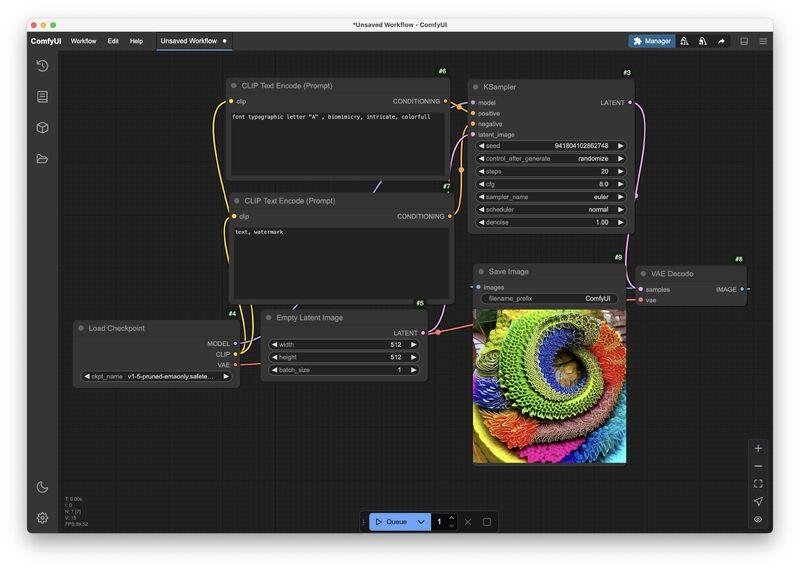
ComfyUI
Open-source workflow application for local image generation, editing, and advanced model customization.
To get started, download ComfyUI from its official website, install a version compatible with your operating system, and obtain a supported image-generation model. Depending on the installation, model files may need to be placed in specific directories or selected through a supported model-management process. After loading a compatible workflow, enter your description, select an output size, and run the generation process.
ComfyUI is particularly useful when projects require consistency or multiple editing operations. A single workflow can combine image generation, reference images, upscaling, masking, and refinement. Its interface may initially feel complex, but official templates and community-supported workflows can reduce the learning curve. The application’s open-source core is free, although optional Partner Nodes and cloud processing can incur charges.
The most useful settings to learn first are resolution, seed, sampling method, generation steps, and model selection.
Resolution determines image dimensions. A seed controls the random starting conditions, helping users reproduce or vary images when settings remain unchanged. Sampling settings affect the generation process, although their behavior differs between model architectures.
Begin with recommended workflow settings rather than assuming that maximum sampling steps or higher resolution always produces better results.
3. Use SwarmUI for Free AI Image Generation With a Simpler Interface
SwarmUI provides an alternative to complex node-based interfaces for creators who want convenient access to advanced image-generation controls. Formerly known as StableSwarmUI, the application combines a conventional web interface with extensive customization options, allowing users to manage different models and workflows without manually arranging every processing step.
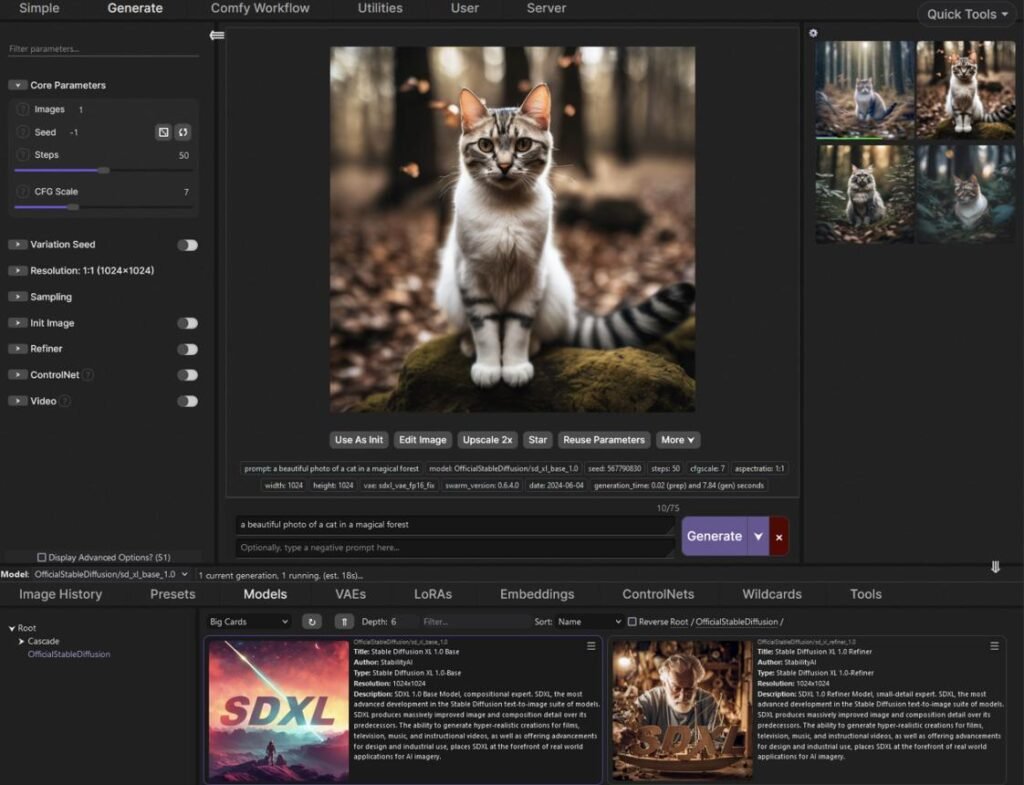
SwarmUI
Free and open-source image-generation interface designed to make powerful generation tools more accessible.
Installing SwarmUI involves obtaining the software from its official distribution source, following the setup instructions for your operating system, and configuring a compatible generation backend. The software supports local deployment on Windows, Linux, and supported Apple Silicon Mac systems. Hardware requirements depend on the selected image model, and a modern dedicated GPU is recommended for a smoother experience.
SwarmUI is particularly appealing to users who want the flexibility of local generation while retaining an interface suited to everyday tasks. Its developers describe the application as free, open-source software that runs locally by default and does not collect user data. That makes it a practical choice for private creative projects, although users should still check any optional cloud integrations or third-party components they activate.
Begin with a straightforward prompt describing a subject, environment, and visual style. Select an available model, set the image dimensions, and use the default generation parameters recommended for that model.
After reviewing the first result, revise the prompt or change the seed to create additional variations. Once you are comfortable with basic generation, explore supported editing, refinement, and workflow features.
4. Generate High-Quality Artwork With Stable Diffusion 3.5
Stable Diffusion 3.5 offers customizable image generation for photography-style visuals, illustrations, creative concepts, and professional design projects. The model family includes versions designed for different balances of quality, computational demand, and generation speed. This flexibility makes it relevant to users who want to operate compatible AI models within their own creative environment.
Stable Diffusion 3.5 Large is intended for more demanding generation tasks, while Medium provides an alternative for users seeking a balance between capability and hardware requirements. Large Turbo offers a faster generation approach. Stability AI publishes separate documentation and license conditions that users should review before deployment. Its Community License generally allows eligible individuals and organizations with less than $1 million in annual revenue to use covered models commercially without a license fee.
Stable Diffusion is useful when projects need more than a single image generated from text. Compatible workflows can incorporate editing, masked image modifications, reference-based control, and model adaptations. For example, an illustrator can establish a fictional character’s appearance, refine clothing details, modify a background, and create different compositions while maintaining a common visual direction.
Improve Stable Diffusion image quality
A reliable starting point is a detailed description of the subject, artistic style, background, lighting, and composition.
For example:
EXAMPLE STABLE DIFFUSION PROMPT
A realistic portrait of a fictional medieval explorer wearing weathered leather clothing, standing in an ancient stone courtyard, soft morning sunlight, detailed facial features, natural skin texture, cinematic composition, shallow depth of field.
After generating an initial image, adjust one visual component at a time. Changing lighting, camera distance, or background details individually makes it easier to understand which modifications improve the output.
5. Create Realistic Images With FLUX AI Models
FLUX models from Black Forest Labs offer several options for high-quality image generation and editing. For users seeking a permissively licensed model, FLUX.1 Schnell and FLUX.2 Klein 4B are especially relevant because they are distributed under Apache 2.0. Other versions, including FLUX development models and FLUX.2 Klein 9B, carry separate noncommercial licensing requirements for local deployment.
The FLUX.2 Klein family supports text-to-image generation and reference-based editing. Black Forest Labs identifies Klein 4B as suitable for consumer GPU deployment and documents its support for single-image and multi-reference editing. Its official specifications list approximately 8.4 GB of VRAM for the distilled 4B variant in the published configuration, although practical memory requirements depend on the software environment and implementation.
These capabilities make FLUX useful for realistic portraits, product mockups, advertising concepts, environmental artwork, and creative experimentation. Users can build image sequences around a consistent subject, refine a composition using visual references, or generate alternatives to a product scene. The choice between a faster distilled model and a more customizable base model depends on whether production speed or model adaptation is the priority.
Select the correct FLUX model license
The licensing distinction is important for professional use.
FLUX.1 Schnell and FLUX.2 Klein 4B are Apache 2.0 models, allowing commercial use under the license’s conditions. FLUX.1 Dev, FLUX.2 Dev, and Klein 9B have different restrictions for local commercial deployment and may require additional licensing. Black Forest Labs also offers commercial API access, but API usage terms are separate from local model licensing.
For a business creating marketing assets, checking the exact model version is more reliable than assuming every model sharing the FLUX name has identical commercial rights.
6. Find a Free Unrestricted AI Image Generator Without Sign-Up
The most dependable way to generate AI images without creating an account with an image-generation website is to install a compatible generator locally. Applications such as ComfyUI and SwarmUI can process images on a personal computer without requiring a recurring hosted generation subscription.
Some browser-based generators offer limited anonymous access, but account-free usage does not guarantee unlimited generations or unrestricted content policies. A website may offer a few free images before requiring registration, restrict higher resolutions, or introduce queues during periods of high demand. It may also retain uploaded files or apply moderation policies even when account creation is optional.
Local software avoids many of these dependencies, although downloading models may still require repository access, agreement to licensing terms, or account-based authentication. Furthermore, a free application does not necessarily mean a free computing environment. Users remain responsible for the cost and capabilities of their hardware.
Check free generation limits before choosing a tool
Review whether a service imposes daily credits, watermarks, export restrictions, or paid model access.
For locally installed generators, determine whether the selected model is freely available and compatible with your computer. Confirm that the complete workflow runs locally rather than silently depending on paid cloud processing.
7. Generate Unlimited AI Images Without Recurring Credits
Local AI image generation is one of the strongest options for users who want to create large numbers of images without paying for each render. Once suitable software and model files are installed, users can repeatedly generate images using their own computing resources. There is generally no provider-imposed monthly credit quota for an entirely local workflow.
The practical limitations are hardware speed, available memory, storage capacity, and electricity consumption. Larger models may need more GPU memory, while high-resolution images and complex editing workflows can increase processing time. Users with limited hardware may need smaller models, optimized formats, or memory-saving workflows.
Cloud generation changes this equation by replacing local hardware requirements with provider-managed infrastructure. It offers convenience but often involves subscriptions or usage-based billing. The most economical choice therefore depends on how often images are generated, the complexity of the workflows, and whether the user already owns suitable equipment.
Compare local and online image generation
| Consideration | Local AI Generator | Online AI Generator |
|---|---|---|
| Monthly image credits | Usually unnecessary | Often required |
| Installation | Required | Usually not required |
| GPU ownership | Often beneficial | Not required |
| Offline functionality | Possible | Usually unavailable |
| Prompt privacy | Greater local control | Depends on provider |
| Model customization | Often extensive | Platform-dependent |
| Maintenance | User responsibility | Provider responsibility |
| Payment model | Hardware and electricity | Credits or subscription |
For frequent image generation, local deployment can provide more predictable long-term usage. For occasional creators, cloud services may remain the more practical choice because they remove installation and hardware maintenance requirements.
8. Write Detailed AI Image Prompts for Better Results
A well-structured prompt can improve output quality more effectively than simply searching for a generator with fewer restrictions. Image-generation models respond to descriptions of subjects, surroundings, lighting, artistic media, composition, and visual details. Combining these elements helps the model interpret the desired result and reduces ambiguity.
Begin with the primary subject and its defining features. Next, describe the setting and visual treatment. Finally, include camera framing, lighting direction, color palette, and any important details. For photorealistic images, references to natural lighting, lens perspective, material textures, and depth of field can help establish a photographic appearance. For illustrations, the medium and composition may matter more.
Avoid assuming that longer prompts always produce superior images. Excessive or contradictory instructions can create inconsistent results. A controlled approach is to generate a starting image, examine its weaknesses, and revise the prompt in small increments.
Build a detailed AI image prompt
YOUR AI IMAGE PROMPT
A futuristic city beside the ocean, photorealistic style, golden hour lighting, wide angle composition, detailed textures, balanced colors, clear subject separation, visually cohesive atmosphere, high-quality image.
Copy prompt
Use the generated prompt as a starting point and adapt it to your model. Some models respond better to natural sentences, while others benefit from shorter descriptions or specialized conditioning methods.
9. Improve AI Images With Inpainting, Outpainting, and Reference Controls
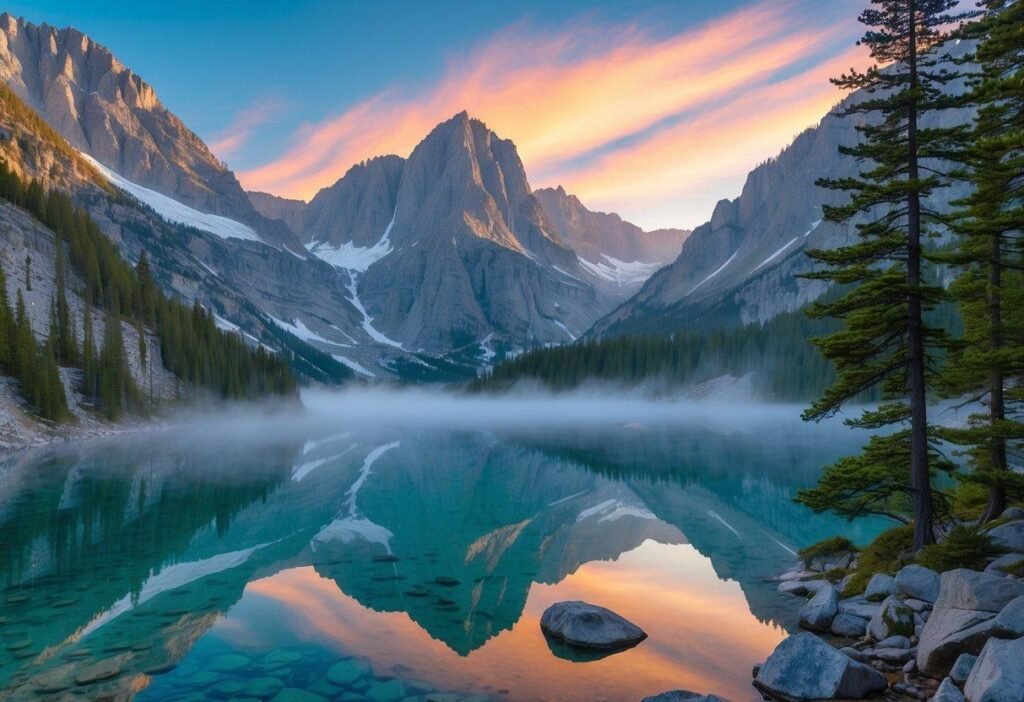
Image editing is an important capability when selecting an unrestricted AI image generator because many professional tasks require refining an existing result rather than generating a completely new picture. Inpainting, outpainting, image-to-image transformations, and reference-guided generation provide different ways to control the final image.
Inpainting allows users to select a particular region and replace or modify its contents. Outpainting extends an image beyond its original boundaries, making it useful for changing aspect ratios or creating additional background space. Image-to-image workflows transform an existing visual using a text description and model-specific controls. Reference-guided generation can help preserve visual details across multiple images.
These features are particularly valuable for advertising graphics, editorial illustrations, book covers, product presentations, and fictional character designs. A creator can refine the background of a product image, extend a landscape to fit a website banner, or produce alternate scenes based on a common character reference.
Select the appropriate editing method
Use inpainting when a small region needs correction, such as a misplaced object or inconsistent clothing detail. Use outpainting when extending the scene. Choose image-to-image generation when transforming the overall style, and reference-based editing when maintaining recognizable design elements across several compositions.
The exact capabilities and level of control depend on the model. FLUX.2 Klein, for example, documents support for both single-reference and multi-reference editing.
Privacy is an important reason to choose locally installed image-generation software. When a model runs entirely on a personal computer, prompts and uploaded reference images do not need to be transmitted to an online generation provider. This can be useful for confidential product concepts, unpublished illustrations, private photographs, and client work.
However, users should distinguish local processing from a guarantee that no information leaves the device. Optional API connections, cloud integrations, extensions, model download utilities, and telemetry settings can change how an application communicates with external services. It is therefore necessary to understand the components included in a workflow rather than assuming every local installation is completely offline.
A further consideration is the information stored within generated files. Some image-generation systems save prompts, seeds, model details, or workflow information in file metadata. That information can be useful for reproducing images, but it may reveal creative instructions or project details when shared with other people.
Secure your image-generation environment
Download software from official repositories and use model sources with clear documentation. Review third-party extensions before installation, particularly those requiring network access or broad file permissions.
For confidential projects, maintain an isolated local workflow where practical and inspect exported images before publishing them. Keep backups of important source files and avoid distributing private reference images without permission.
11. Verify Commercial Rights Before Publishing AI-Generated Images
An unrestricted AI image generator does not automatically provide unrestricted commercial rights. The ability to run a model locally and the right to use its outputs in a business project are separate issues. Commercial usage depends on the model’s license, the platform’s terms, applicable intellectual property law, and the content depicted in the image.
For instance, Black Forest Labs publishes Apache 2.0 licensing for FLUX.1 Schnell and FLUX.2 Klein 4B, while certain development and larger Klein variants have noncommercial local licenses. Stability AI’s Community License covers qualifying commercial users below its annual revenue threshold, with different conditions for larger organizations. These terms apply to the relevant software or model and should not be interpreted as blanket permission to infringe someone else’s rights.
Complete a commercial image-use review
Before publishing, record the model name and version, review its official license, and confirm that the planned use is permitted. If an image includes recognizable logos, real people, or protected fictional characters, assess those rights separately.
Maintain records of prompts, editing steps, source references, and model licenses for important commercial projects. Such documentation supports accountability and can help resolve later questions about how an image was produced.
12. Test an Unrestricted AI Image Generator Before Committing to It
The most reliable way to choose an AI image generator is to compare how well several compatible tools handle the same creative requirements. Marketing descriptions often emphasize impressive visual samples, but those examples may not reflect performance on your hardware, your prompts, or your preferred image style.
A useful comparison should include at least four types of generation tasks: a realistic portrait, a detailed environment, an illustration, and an image-editing request. Use similar subject descriptions and target dimensions whenever possible, while following each model’s recommended settings. Record how consistently the generator follows instructions, produces usable details, and handles revisions.
Also evaluate installation difficulty, average generation time, hardware memory use, image editing capabilities, and licensing conditions. Do not judge a model only by its best output. A generator that regularly produces usable images with minimal correction may be more valuable than one that occasionally creates exceptional results but requires repeated attempts.
Apply a practical quality checklist
AI image generator evaluation
0 of 7
This checklist is a practical evaluation aid, not a standardized benchmark or an independently verified performance score. Use it alongside your own test images and official technical documentation.
13. Avoid Common AI Image Generation Problems
Even powerful image-generation models can produce distorted objects, inconsistent character features, incorrect text, unusual proportions, or compositions that differ from the requested prompt. These errors do not necessarily indicate that a generator is unreliable. They may result from model limitations, incompatible settings, unclear instructions, or insufficient computing resources.
When image details are incorrect, start by simplifying the prompt and identifying the primary subject. For character consistency problems, use supported reference-image controls or carefully managed seeds and workflow settings. For excessive processing times, check whether image dimensions or model size exceed your hardware’s practical capabilities.
Another important issue is model compatibility. An editing workflow designed for one model architecture may not function correctly with another. Similarly, guidance values and sampling settings cannot always be transferred directly between Stable Diffusion and FLUX models. Following model-specific recommendations reduces unnecessary troubleshooting.
Troubleshoot generation errors systematically
If the model fails to load, verify the file location, supported architecture, and available GPU memory. If an image appears blurry, check resolution, model settings, and the need for supported upscaling.
If the output repeatedly ignores an important instruction, remove competing visual descriptions and regenerate the scene. Use localized editing instead of repeatedly recreating the entire picture when only one region requires correction.
14. Select the Right Unrestricted AI Image Generator for Long-Term Use
For users prioritizing deep customization, ComfyUI is a strong starting point because its local workflow system can accommodate different model families and complex generation pipelines. SwarmUI is particularly relevant when a more accessible interface is preferable. Users prioritizing permissive commercial licensing can consider FLUX.2 Klein 4B or FLUX.1 Schnell, subject to their hardware requirements and the exact license provisions.
A long-term setup should support the type of artwork you produce most frequently. Photographers and visual designers may prioritize realistic rendering and image editing. Illustrators may value reference-based consistency and stylistic control. Developers may focus on automation, programmatic workflows, and commercial deployment conditions. Evaluating these requirements before installation reduces the likelihood of switching between platforms unnecessarily.
The strongest choice is therefore not necessarily the generator that advertises the fewest content restrictions. It is the tool that consistently meets your creative needs while offering reliable software, transparent model licensing, appropriate privacy controls, and sustainable performance.
For legitimate artistic work, local image generation provides substantial independence. It does not eliminate responsibilities concerning consent, privacy, deception, or unlawful content, but it can give creators greater control over ordinary creative and professional workflows.
Frequently Asked Questions About Unrestricted AI Image Generators
Is there a completely unrestricted AI image generator?
Local applications such as ComfyUI and SwarmUI can provide extensive control over generation workflows without relying on the prompt filtering of a specific hosted service. However, model capabilities, licenses, applicable laws, and other limitations still apply. No application should be assumed to grant unlimited rights for every possible use.
Which unrestricted AI image generator is completely free?
ComfyUI and SwarmUI are free, open-source applications for local image generation. Compatible models such as FLUX.1 Schnell and FLUX.2 Klein 4B are available under Apache 2.0. Although the software and model weights may be free, users still need suitable computing resources.
Can I use an unrestricted AI image generator without signing up?
Yes. A locally installed generation workflow can operate without requiring an account with an image-generation website. Initial software or model downloads may still involve platform-specific access requirements.
Can I generate unlimited AI images without credits?
Yes, an entirely local setup generally does not impose per-image credit charges. Generation capacity depends on hardware performance, electricity consumption, storage, and processing time. Online services may impose quotas or usage-based fees.
Which unrestricted AI image generator produces realistic images?
Stable Diffusion 3.5 and compatible FLUX models can generate realistic imagery, including portraits, landscapes, fictional scenes, and product concepts. The quality depends on the model, prompt, generation settings, and any subsequent editing.
Can I sell images made with an unrestricted AI image generator?
Commercial use may be permitted, depending on the model license and applicable law. For example, FLUX.2 Klein 4B is published under Apache 2.0, while other model versions may impose noncommercial restrictions. Review the specific terms and any relevant third-party rights before selling generated artwork.
Conclusion
Finding the right unrestricted AI image generator requires more than choosing a platform that promises unlimited prompts or fewer content filters. The best tools combine creative flexibility, reliable image quality, customizable generation settings, transparent licensing, and appropriate privacy protections.
ComfyUI offers substantial workflow control for advanced users, while SwarmUI provides an alternative interface for local generation. Stable Diffusion models support varied illustration and design tasks, and the FLUX family provides additional options for realistic visuals, image editing, and commercial workflows.
For most creators seeking greater independence, a locally installed application paired with an appropriately licensed model is a practical starting point. It can reduce dependence on recurring image credits, support reusable visual workflows, and provide more control over prompts and reference materials.
By selecting suitable hardware, understanding model licenses, writing effective prompts, and evaluating actual output quality, users can build an AI image generation workflow that supports both creative experimentation and professional projects.
Official Sources and Further Reading
The following primary sources support the software, technical, and licensing information in this guide:
Content review basis: Official product documentation, developer repositories, and published licensing policies. No independent GPU benchmark testing or first-hand product testing is claimed. Model functionality and licensing conditions should be rechecked before commercial deployment.