
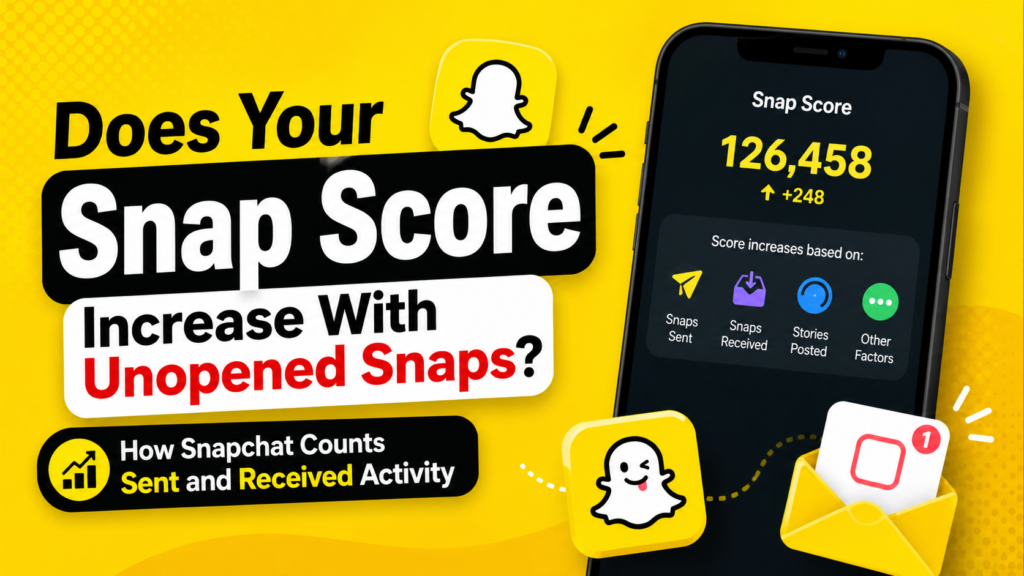
Your Snap Score can increase while Snaps remain unopened, although Snapchat does not explain exactly when each point is added. The company confirms that its scoring formula considers the number of Snaps a user sends and receives, Stories posted and several undisclosed factors. It does not state that every received Snap must be opened before it contributes to the score.
This matters when someone’s score changes even though they have not opened your Snap. Their score may rise because they sent Snaps to other people, received other Snaps, posted a Story or triggered another part of Snapchat’s private formula. A changing score therefore indicates account activity, but it does not reveal who the person contacted or whether they viewed a specific message.
Understanding the difference between sent, delivered, received and opened activity helps prevent incorrect assumptions. Snap Score measures overall engagement across an account. It is not a reliable tool for monitoring one conversation in real time.
Check Whether Unopened Snaps Can Raise a Snap Score
A Snap Score may increase when an account receives a Snap even if that Snap has not yet been opened. Snapchat states that the score combines the number of Snaps “sent and received,” but its official explanation does not say that opening each received Snap is required.
The safest conclusion is that receiving and opening are separate events. A filled square on the Chat screen indicates that a user has an unopened Snap, while an outlined icon appears after the content has been viewed. Snapchat’s interface clearly distinguishes delivery from opening, even though the company does not publish how each stage affects the score.
A person’s score can also rise before they open your Snap because of unrelated activity. They may be sending photo or video Snaps, receiving content from other friends, posting Stories or benefiting from another part of the formula.
The answer can also depend on whose score you are checking. The sender may receive credit for sending a Snap while the recipient leaves it unopened. The recipient’s score may update after receiving the Snap, after opening it or after the app synchronises recent activity. Snapchat does not disclose the exact sequence.
Separate Sending a Snap From Opening a Snap
Sending a photo or video Snap is one of the activities Snapchat explicitly includes in its scoring system. Once a user creates and successfully sends a Snap, that outgoing action can contribute to the sender’s score. The recipient does not necessarily need to open it first.
Opening describes what happens after the Snap reaches the recipient’s account. Snapchat uses different status icons for sent, delivered, opened and pending content. These indicators explain the status of one message, while Snap Score reflects activity across the entire account.
A delivered Snap can remain unopened for hours or days. During that period, the sender may continue using Snapchat and gain more points from other activity. The recipient may also send Snaps or post Stories without opening that particular message.
This explains why score changes often appear confusing. Someone may look active because their score rises, while your Snap remains unopened. Both things can be true at the same time.
| Snapchat event | Message status | Likely Snap Score effect |
|---|---|---|
| Sending a photo or video Snap | Sent or delivered | Included in Snapchat’s stated score factors |
| Receiving a Snap | Unopened received icon | Included broadly, but timing is undisclosed |
| Opening a received Snap | Viewed status appears | No separate public point rule |
| Sending a text Chat | Delivered Chat | Not identified as a main score factor |
| Posting a Story | Visible in My Story | Explicitly included in the formula |
| Receiving several Snaps | Multiple unopened items | May affect the score, but point values remain private |
Related: If you’re also trying to understand Snapchat’s Friend Solar System, read our guide on What Do Snapchat Planets Mean? It explains how Snapchat Planets rank your Best Friends and how the feature differs from Snap Score.
Interpret a Score Increase While Your Snap Stays Unopened
A rising score while your Snap remains unopened usually means the person has been active somewhere else on Snapchat. It does not prove that they saw your message, intentionally ignored it or contacted one particular person.
They may have sent Snaps to several friends without opening incoming content. Snapchat allows users to access the camera, create a Snap and select recipients without first reviewing every message in the Chat feed.
The person may also have received Snaps from other accounts. Since Snapchat says received Snaps form part of its scoring equation, incoming activity may affect the total even when your own Snap has not been opened.
Story activity provides another explanation. Posting one or more Snaps to My Story is explicitly included in Snapchat’s formula. Someone can upload Story content, increase their score and still leave direct Snaps unread.
Technical delays can also make the timing misleading. A profile may not refresh immediately after an action occurs. Closing and reopening the app or waiting for account synchronisation can reveal a change that resulted from earlier activity.
Industry observers note that Snap Score is best treated as a broad engagement indicator rather than a live record of someone’s messaging choices. The number combines several actions and undisclosed variables, so it cannot support precise conclusions about one conversation.
Compare Received, Delivered and Opened Snaps
A Snap moves through several stages after it is sent. Each stage describes the message itself, while Snap Score reflects wider account use.
“Sent” means Snapchat has started processing the outgoing Snap. “Delivered” means it reached the recipient’s account. “Received” means it is available in the recipient’s feed. “Opened” means the recipient viewed it.
Snapchat’s official icon guide distinguishes unopened Snaps from viewed Snaps. A filled red or purple square shows an unopened Snap, while an outlined icon tells the sender that the content has been opened.
These statuses are useful for tracking one message, but none provides a public point-by-point explanation of Snap Score. A delivered Snap may affect the sender’s score, while the recipient’s total may update at a different time.
A pending Snap is different from a delivered one. Pending status can appear because the recipient has not accepted a friend request, one user removed the other, an account was blocked or a connection problem prevented delivery.
| Status | Meaning | What it confirms |
|---|---|---|
| Sent | The Snap left the sender’s account | The user attempted an outgoing Snap |
| Delivered | Snapchat delivered it to the recipient | The message reached the account |
| Received but unopened | The Snap is waiting in the feed | The recipient has not viewed it |
| Opened | The recipient viewed the Snap | The specific Snap was accessed |
| Pending | Delivery is incomplete or restricted | The Snap may not have reached the recipient |
| Expired | The viewing period ended | The Snap can no longer be opened normally |
Account for Snapchat’s Private Scoring Formula
Snapchat deliberately keeps the exact Snap Score calculation private. Its support documentation describes a “super-secret, special equation” that combines sent Snaps, received Snaps, posted Stories and several other factors.
This confirms the main sources of score growth without revealing point values. Snapchat does not state that every Snap always equals one point. It also does not explain whether sending one Snap to several recipients counts differently from sending separate Snaps.
The undisclosed formula helps explain why informal user tests often produce inconsistent results. Two users may perform similar actions and observe different score changes because their tests include background activity, delayed updates, Story posts or subscription-based features.
Snapchat+ adds another variable. Subscribers can enable Snapscore Multiplier, which allows their score to grow twice as fast when they send a Snap to or receive a Snap from another Snapchat+ subscriber who has the feature enabled.
That official feature shows why simple point assumptions are unreliable. A score that rises by several points may reflect a multiplier rather than several individually opened Snaps.
Test Snap Score Changes Without Drawing False Conclusions
You can run a basic test to observe how your own score behaves, but the result should be treated as a personal observation rather than proof of Snapchat’s universal formula.
Start by opening your Profile and recording the score displayed beneath your name. Send one original photo or video Snap to a trusted friend and ask them not to open it immediately.
Avoid posting a Story, sending other Snaps or switching between several conversations during the test. Close and reopen your profile to see whether the displayed score changes.
Next, ask the friend to open the Snap and check the score again. You can repeat the experiment in reverse by having the friend send you a Snap while you leave it unopened.
Several limitations affect this method. Snapchat may update scores in batches, unrelated activity may occur in the background and the scoring formula can change without notice.
Snapchat+ users should also check whether Snapscore Multiplier is enabled. That setting can alter the number of points earned when both participants subscribe.
A controlled test can show how your account appears to behave at that moment. It cannot reveal the complete algorithm or prove why another person’s score changed.
Distinguish Photo and Video Snaps From Text Chats
Photo and video Snaps are central to Snap Score because Snapchat specifically identifies sent and received Snaps as scoring factors. Ordinary text Chats work differently.
Typing a message, sending an emoji or continuing a text conversation is not listed as a primary part of the score formula. A user can spend time chatting without producing the same visible score increase associated with photo and video Snaps.
This difference can make activity appear inconsistent. Someone may reply to text Chats while their score stays unchanged, or their score may rise because they sent camera Snaps without answering a message.
Snaps sent within Chat can create further confusion. Snapchat supports visual content inside conversations, but it does not publish separate scoring rules for every format.
Voice calls and video calls are also not identified in the official Snap Score explanation. Time spent inside the app does not always translate into visible score growth.
The most dependable approach is to focus on the activities Snapchat names directly: sending Snaps, receiving Snaps and posting Stories.
Allow for Delayed Snap Score Updates
Snap Scores do not always update instantly. A person may complete several actions before the visible number changes, particularly when the profile has not refreshed.
A weak internet connection can delay sending, loading and account synchronisation. Snapchat recommends checking Wi-Fi or mobile data, restarting the app, clearing the cache and installing the latest app version when Snaps fail to send or load correctly.
The displayed score may also be temporarily cached. Repeatedly opening a profile does not guarantee that Snapchat retrieves a fresh total every few seconds.
This delay can make users connect the wrong action to a score increase. Someone may receive your Snap, send several others and open your message later, while the profile displays all accumulated points at once.
Device differences can also affect what appears. One phone may show a refreshed score before another device does.
Delayed updates are another reason Snap Score cannot serve as an exact online-status tool. It reflects accumulated activity, not a precise timeline.
Avoid Using Snap Score to Monitor Someone’s Behaviour
Snap Score should not be used to decide whether a friend, partner or contact is ignoring you. A change in the number may indicate Snapchat activity, but it cannot explain the reason for that activity.
Someone may leave a Snap unopened because they are busy, saving it for later, limiting screen time or focusing on another part of the app.
A score increase cannot identify the recipient of an outgoing Snap. It does not show whether the user contacted one friend, several people or a group.
The number also cannot confirm whether someone saw a notification preview. A person may notice that a Snap arrived without opening the content itself.
Repeatedly checking someone’s score can create certainty that the data does not support. The private formula, delayed updates and multiple sources of activity make detailed interpretations unreliable.
Use the icon beside your message to determine whether that specific Snap was opened. Snap Score cannot explain why someone has not replied.
Check How Long an Unopened Snap Remains Available
Unopened one-to-one Snaps do not remain on Snapchat’s servers forever. Snapchat states that its servers are designed to delete unopened one-to-one Snaps automatically after 31 days.
This is the clearest real statistic related to unopened Snaps. The 31-day limit distinguishes a temporarily unread Snap from one that eventually expires without being viewed.
Snaps sent to group conversations may follow different retention rules. Snapchat’s deletion policies can vary depending on content type, conversation settings and whether an item was saved in Chat.
Expiration does not reveal whether the Snap affected either user’s score. Snapchat does not state that points are removed when a Snap expires or disappears.
The company also says there is no way to manually reduce or reset a Snap Score. A Snap expiring does not appear to reverse previously recorded account activity.
Compare Snap Score With Snapstreak Activity
Snap Score and Snapstreaks measure different forms of activity. Snap Score represents accumulated use across an account, while a Snapstreak tracks consecutive days of qualifying exchanges between two friends.
To maintain a Streak, both users must exchange photo or video Snaps within the required daily period. The number beside the fire emoji shows how many days the Streak has continued.
An unopened Snap can create uncertainty near a Streak deadline. Sending a Snap may contribute to the sender’s overall score, but the Streak depends on both people completing the required exchange.
Text Chats do not replace qualifying Snaps for Streak purposes. A user can remain active in Chat without protecting the fire emoji.
Posting to a Story may influence Snap Score because Stories form part of the formula, but a Story does not replace the direct exchange required for a Streak.
Keeping these systems separate prevents confusion. Snap Score reflects broad account activity, while a Streak measures interaction between two specific users.
Understand How Snapchat+ Changes Score Growth
Snapchat+ subscribers may experience faster score growth through the optional Snapscore Multiplier. Snapchat states that subscribers can grow their scores twice as fast when sending a Snap to or receiving a Snap from another participating Snapchat+ subscriber.
The feature must be enabled in Snapchat+ settings because it is turned off by default. A subscription alone does not guarantee that every Snap receives multiplied credit.
This feature makes comparisons between users less reliable. One account may gain more points from similar activity because the multiplier applies to a particular exchange.
The multiplier also reinforces that Snapchat recognises both sending and receiving as score-related actions. However, the support page does not say that the recipient must open the Snap before the multiplier applies.
Snapchat+ subscribers can also view how much a friend’s Snap Score has changed since they last checked it. That feature shows the size of the increase but does not identify which actions produced it.
Resolve a Snap Score That Appears Stuck
A score that does not change immediately may reflect delayed synchronisation rather than missing activity. Begin by confirming that the Snap was delivered instead of remaining pending.
Check the internet connection and update Snapchat on both devices. Closing and reopening the app may refresh a score that appears frozen.
Clearing the app cache can also resolve loading problems without deleting Memories, Snaps or Chats.
Avoid sending large quantities of Snaps simply to force the number to change. Snapchat may group updates together, and repeated sending can frustrate recipients.
A score may also appear unchanged because the activity involved text Chat, calls or other actions that Snapchat does not identify as major scoring factors.
Snapchat states that users cannot manually lower or reset their scores. When the number appears consistently incorrect, official Snapchat Support remains the most reliable source because the platform controls the account data.
Apply the Most Reliable Snap Score Rules
The clearest way to understand Snap Score is to separate confirmed information from assumptions.
Snapchat confirms that sent Snaps, received Snaps and Story posts contribute to the score. It also confirms that additional undisclosed factors are involved and that Snapchat+ users can enable a multiplier for eligible exchanges.
Snapchat does not publish an exact point chart. It does not say that every action always earns one point, that opening is required before a received Snap counts or that all scores update instantly.
An unopened Snap can remain waiting while the recipient performs other activities that raise the score. The sender may also receive credit for sending it before the recipient views the content.
Use delivery and opened icons to track the status of a specific Snap. Use Snap Score only as a broad measure of accumulated account activity.
Conclusion
Your Snap Score can increase while Snaps remain unopened because the score reflects wider Snapchat activity, not only viewed messages. Snapchat officially includes sent Snaps, received Snaps and Story posts in its private formula, but it does not disclose exact point values or the timing of every update.
A sender’s score may rise after sending a Snap even if the recipient leaves it unopened. A recipient’s score may also change because they received other Snaps, sent content, posted Stories or used an eligible Snapchat+ multiplier.
The key distinction is between message status and account activity. An unopened icon tells you that a particular Snap has not been viewed. A rising Snap Score only shows that the account has accumulated qualifying activity.
It does not reveal who the user contacted, which message they opened or why they have not replied.
Frequently Asked Questions
Does your Snap Score increase when someone sends you a Snap you do not open?
It may increase because Snapchat includes received Snaps in its scoring formula and does not state that opening is required. The exact timing remains private.
Does your Snap Score increase when the other person has not opened your Snap?
The sender’s score can increase after sending a Snap even if the recipient has not opened it. Viewing status is separate from the sender’s outgoing activity.
Can someone’s Snap Score rise while my Snap remains unopened?
Yes. The person may be sending or receiving other Snaps, posting Stories or generating activity through another part of Snapchat’s formula.
Does opening a Snap add another point?
Snapchat does not publicly confirm a separate point specifically for opening. It only states that sent and received Snaps contribute to the score.
Do text messages increase your Snap Score?
Snapchat does not list ordinary text Chats as a main score factor. Photo and video Snaps, received Snaps and Story posts are the activities it identifies directly.
How long can a Snap stay unopened?
Snapchat states that unopened one-to-one Snaps are designed to be deleted from its servers after 31 days. Different rules may apply to group content and saved Chats.