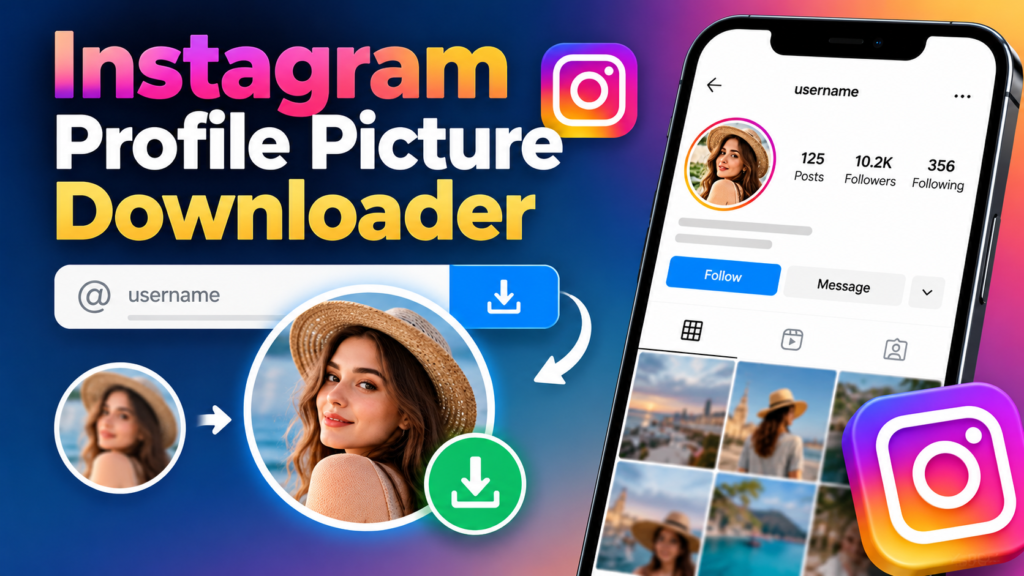
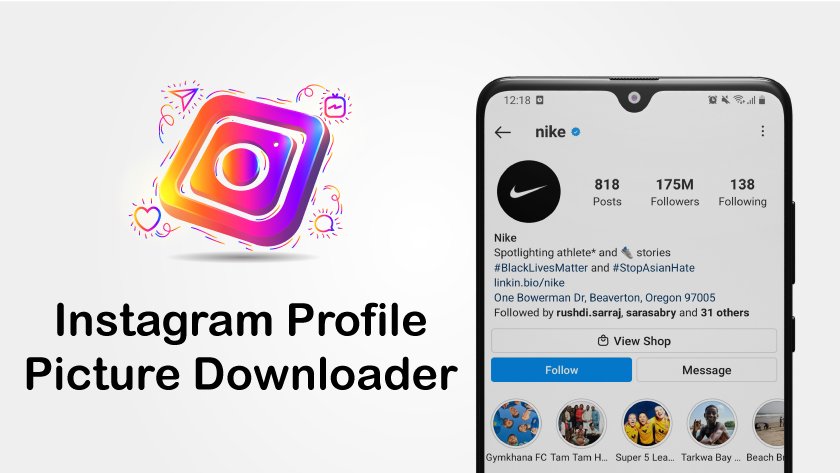
An Instagram profile picture downloader is an online tool that helps users view, enlarge, and save Instagram profile photos on their phones or computers. These tools typically work by accepting an Instagram username or profile URL and retrieving the profile image when it is publicly accessible.
Instagram displays profile photos in a small circular frame, making it difficult to examine details or save a larger copy directly. An Instagram DP downloader can simplify the process by displaying an available image at a larger size and providing a download option.
Whether you want to download your own profile picture, save an authorized business logo, or view a publicly available Instagram DP more clearly, choosing a reliable method is important.
This guide explains how to download Instagram profile pictures in HD when available, use Instagram DP downloaders without logging in, save images on Android, iPhone, and PC, and resolve common download problems. It also explains important limitations involving image quality, account privacy, and third-party downloading websites.
Choose a Safe Instagram Profile Picture Downloader
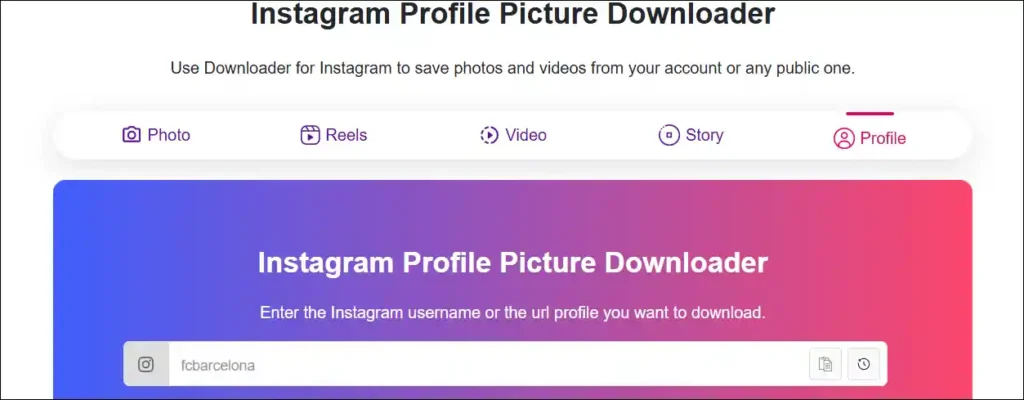
Choose an Instagram profile picture downloader that accepts public usernames or profile links, displays an image preview, and allows downloading without requesting your Instagram password. The most convenient tools operate directly through a web browser and do not require additional applications.
A typical Instagram DP downloader includes a search box, a profile picture preview, and an image download button. You enter the username or URL, request the available image, and select the download option. The service can only provide image versions it can legitimately access, so results may differ between websites.
Security matters because not every website advertising Instagram downloads is trustworthy. Some websites show misleading advertisements, request unnecessary permissions, or direct visitors to unrelated applications. A dependable service should explain its features clearly, identify its limitations, and provide an appropriate privacy policy.
Check Essential Instagram DP Downloader Features
Look for the following features before using a downloader:
- No Instagram password required: The tool should not request account credentials for a publicly accessible image.
- Username and URL support: Users should be able to enter an Instagram handle or complete profile address.
- Profile picture preview: The website should display the available image before downloading.
- HD image support: The tool should offer the highest genuine resolution it can access.
- Mobile compatibility: The website should function on Android and iPhone browsers.
- Desktop compatibility: Users should be able to save images on Windows and Mac computers.
- Simple image downloads: The service should provide a recognizable image file.
- Clear privacy information: The website should explain how submitted information is handled.
These features make a downloader easier to use while reducing unnecessary security risks.
Compare Available Instagram Profile Picture Download Methods
| Download Method | Instagram Login Required | Available Quality | Best For |
|---|---|---|---|
| Online Instagram DP downloader | Usually no | Depends on available image | Publicly accessible profile pictures |
| Mobile screenshot | Not always | Screen resolution | Quick visual references |
| Desktop screenshot | Not always | Displayed image resolution | Capturing visible profile pictures |
| Instagram account data export | Yes, for your account | Depends on exported files | Recovering your own Instagram data |
| Original photo from gallery | No additional login | Original image quality | Saving your own profile picture |
For most users who need a publicly accessible profile photo, an online downloader provides a straightforward option. For your own Instagram DP, however, the original uploaded image usually offers the best quality.
Copy the Instagram Profile Username or URL
Copy the correct Instagram username or profile link before attempting to download a profile picture. This information identifies the Instagram account and allows the downloader to locate its publicly accessible image.
Instagram usernames are unique account handles that may contain letters, numbers, periods, and underscores. They are different from display names, which may contain spaces and may be shared by several accounts. Using the correct username helps prevent downloading a picture from the wrong profile.
A standard Instagram profile link follows this format:
https://www.instagram.com/username/
Replace username with the relevant account handle. A downloader may accept the full URL or the username alone, depending on its design.
Copy an Instagram Profile Link on Android and iPhone
- Open the Instagram application.
- Search for the account whose profile picture you want to save.
- Visit the account’s profile page.
- Find the profile-sharing or link-copying option, depending on your Instagram version.
- Copy the profile link.
- Paste it into the Instagram profile picture downloader.
If the Copy Link option is unavailable, manually enter the username shown at the top of the account profile.
Copy an Instagram Profile Link on Desktop
Open Instagram in a web browser and navigate to the relevant account. Select the browser’s address bar and copy the complete profile URL.
You can then paste this address into a compatible Instagram DP downloader.
Make sure the link points to an account profile rather than an Instagram Reel, post, Story, or hashtag page. A profile picture downloader may not support other types of Instagram links.
Download Instagram Profile Pictures Online
To download an Instagram profile picture online, open a suitable Instagram DP downloader, enter the public profile URL or username, and select the available image download option. Many browser-based tools do not require an Instagram login or software installation.
Most services follow a similar process, although their interfaces and available image sizes may differ. Some display an enlarged profile photo immediately, while others require users to select a preview before saving the picture.
The downloaded image is typically stored in the browser’s configured download location. Depending on your device, you may need to move the file into a gallery or photo library.
Follow These Steps to Download an Instagram DP
Step 1: Open an Instagram DP downloader
Launch Chrome, Safari, Firefox, Edge, or another supported browser. Visit a downloader with a clear interface and suitable privacy practices.
Step 2: Enter the Instagram username or URL
Paste the profile link into the search field. Alternatively, enter the correct username if the service supports username searches.
Step 3: Search for the profile picture
Select Search, View, Download, or the equivalent control. The website will attempt to retrieve the available profile image.
Step 4: Preview the Instagram DP
Confirm that the displayed picture belongs to the intended Instagram account. Check whether the service provides different image sizes.
Step 5: Select the download option
Choose the highest genuine image resolution available. The website may immediately download the picture or open it in a separate browser tab.
Step 6: Save and verify the file
Check your device’s Downloads folder or photo library. Open the saved image to verify that it displays correctly.
If the downloader fails to find an image, check the username and the account’s accessibility before trying a different method.
Download an Instagram Profile Picture Without Installing an App
An online Instagram profile photo downloader generally works through a browser, so installing an additional application is unnecessary.
Browser-based downloading is useful for occasional users who do not want another app occupying storage space. It also allows the same general method to work across multiple operating systems.
Avoid downloading unfamiliar applications or browser extensions simply because a website claims they are necessary for saving a publicly accessible profile photo.
Download Instagram Profile Pictures in HD Quality
Download Instagram profile pictures in HD by selecting the largest genuine image available from the downloader. The final picture quality depends on Instagram’s accessible image versions and the quality of the original photograph or graphic.
Instagram profile pictures appear inside circular frames, but the image itself may be stored as a square or rectangular file. Certain tools can retrieve versions larger than the small avatar displayed in the interface. However, no downloader can guarantee access to the original full-resolution upload.
High pixel dimensions also do not necessarily mean high image quality. A small thumbnail enlarged through software may have more pixels while remaining blurry. Genuine HD quality requires sufficient detail in the source image.
Check Instagram Profile Picture Resolution
Different image sizes provide different levels of detail.
| Image Resolution | Typical Use | Expected Detail |
|---|---|---|
| 150 × 150 pixels | Small thumbnails | Limited |
| 320 × 320 pixels | Mobile viewing | Moderate |
| 640 × 640 pixels | Larger previews | Potentially clearer |
| 1080 × 1080 pixels | Larger image displays | High if the source contains genuine detail |
These sizes are examples for comparison, not guaranteed resolutions available from Instagram or any particular downloader.
Preserve HD Image Quality After Downloading
Save the original downloaded file without unnecessary resizing or repeated compression.
For photographs, repeated conversion to lossy formats can reduce sharpness around facial features, hair, and other fine details. For logos, compression can introduce artifacts around text and geometric shapes.
When downloading your own Instagram DP, use the original photo from your gallery or cloud backup whenever possible. It will generally provide better quality than a retrieved thumbnail.
Check Whether a Downloader Offers Genuine HD
Inspect the downloaded image’s pixel dimensions and visual sharpness.
If a website promises a 1080 × 1080 image but the result looks heavily pixelated, the file may have been enlarged from a smaller source. Increasing image dimensions does not restore photographic detail that was never present.
A reliable downloader should avoid making unrealistic claims about guaranteed original-resolution access.
Save Instagram Profile Pictures on Android
Save an Instagram profile picture on Android by opening an online downloader in your browser, submitting the relevant public Instagram profile link, and downloading the available image.
Android devices commonly store browser downloads in the Downloads folder. Depending on the browser, phone manufacturer, and device settings, the file may also appear in the phone’s gallery after downloading.
Chrome, Firefox, Samsung Internet, and other modern browsers can support ordinary image downloads. The exact menu labels and saving process may vary slightly between devices.
Download an Instagram DP on Android
- Open Chrome or another trusted browser.
- Visit an Instagram profile picture downloader.
- Enter the Instagram username or profile link.
- Select the search option.
- Preview the available profile picture.
- Tap Download or Save Image.
- Open your file manager and locate the saved picture.
If the website opens an image instead of downloading it, press and hold the picture and check whether your browser offers a Download image option.
Find Downloaded Instagram Photos on Android
Open Files, My Files, or your phone’s file manager and navigate to Downloads.
If the image does not appear in your gallery, check the file type and location. A JPG, JPEG, PNG, or WebP image may be supported by your device’s image viewer.
A file stored outside the gallery’s monitored folders may not appear immediately in the Photos application.
Avoid Unnecessary Android App Permissions
An ordinary browser-based Instagram picture download should not require access to contacts, SMS messages, or your Instagram password.
Be cautious when a downloading service asks you to install an APK file or approve unusual permissions. These requests are not necessary for a straightforward web-based image download.
Download Instagram Profile Pictures on iPhone and iPad
Download Instagram profile pictures on iPhone or iPad by opening a compatible online downloader in Safari, entering the public profile information, and saving the retrieved image.
Apple devices may store downloaded pictures in the Files app rather than automatically adding them to Photos. Safari’s download destination depends on the settings configured on your device.
The same approach generally works on both iPhone and iPad, although the location of browser menus can differ between iOS and iPadOS versions.
Download an Instagram DP Using Safari
- Open Safari on your iPhone or iPad.
- Navigate to an Instagram DP downloader.
- Paste the Instagram username or profile URL.
- Request the available profile image.
- Select the download button.
- Locate the downloaded file using Safari or Files.
- Open the image and save it to Photos if desired.
If the website displays the profile photo directly, a long press may reveal an option to save the image, depending on the website and browser behavior.
Save an Instagram DP to the iPhone Photos App
Open the Files app and locate the downloaded picture.
Select the image, open the sharing menu, and choose Save Image when the option is available.
Then open Photos to confirm that the image was added successfully.
Use Screenshots When a Download Is Unavailable
If you can legitimately view the profile photo but cannot download it, a screenshot may provide a simple alternative.
Capture the visible profile picture using your iPhone’s supported screenshot button combination, then crop the screenshot in Photos.
Screenshots preserve only the image displayed on the screen. They do not provide access to a higher-resolution original.
Download Instagram Profile Photos on Windows and Mac
Download an Instagram profile photo on a Windows or Mac computer by opening a browser-based Instagram DP downloader, entering the profile URL, and saving the available image.
A desktop computer can make it easier to inspect the profile picture’s details, compare image sizes, and organize downloaded files.
Chrome, Microsoft Edge, Firefox, and Safari support standard image-saving functions. The downloaded file generally appears in the browser’s configured Downloads folder unless you choose another location.
Save an Instagram DP on Windows
Open the downloader in Chrome, Edge, or another browser.
Paste the account’s public Instagram profile link, request the image, and select Download.
Open File Explorer, navigate to Downloads, and double-click the saved picture to inspect it.
You can check image dimensions through the file’s properties.
Save an Instagram DP on macOS
Open Safari, Chrome, or Firefox and visit the downloader.
Enter the Instagram profile username or URL and download the available image.
Locate the file through Finder and open it with Preview or Photos.
Preview also provides image inspection options that can help you evaluate dimensions and clarity.
Capture a Visible Instagram DP on Desktop
Windows users can use Snipping Tool to capture a visible profile photo. Mac users can use Command + Shift + 4 to select a screenshot area.
This method is helpful when you need a quick visual reference, but the screenshot’s quality is limited by the image displayed in the browser.
Use Instagram’s Official Options to Save Your Own Profile Picture
Use the original uploaded photo or Instagram’s official account information export features when recovering your own profile picture. These methods avoid dependence on an unrelated downloader and may provide access to files already associated with your account.
Meta provides information download and export options through Accounts Center. Users can request copies of available Instagram account information, including certain uploaded media and account records.
The contents of an export depend on the selected information categories and the data Instagram retains. A separate original-resolution profile image is not guaranteed to appear in every export.
Request a Copy of Your Instagram Information
- Open Instagram and navigate to your profile.
- Open the account settings menu.
- Access Accounts Center.
- Find Your information and permissions.
- Select Download your information or the equivalent export option.
- Choose the relevant Instagram account.
- Select the information categories and available export settings.
- Submit the export request.
- Download the archive when Instagram makes it available.
Menu names may vary as Instagram updates its interface.
Find Your Original Instagram Profile Picture
Before requesting an account export, search for the original photograph in your device’s gallery or cloud backup.
Check Google Photos, iCloud Photos, computer folders, and any backup locations you use.
For business accounts, examine your brand’s logo files or social media design folders. Original files generally offer better quality and editing flexibility than downloaded Instagram thumbnails.
Keep Exported Instagram Data Secure
Instagram account exports may contain personal information beyond profile images.
Store downloaded archives securely and avoid uploading complete account exports to unrelated image downloading websites.
If you only need your profile picture, locate the relevant file and avoid sharing the rest of your account data.
Download Instagram DPs Without an Instagram Login
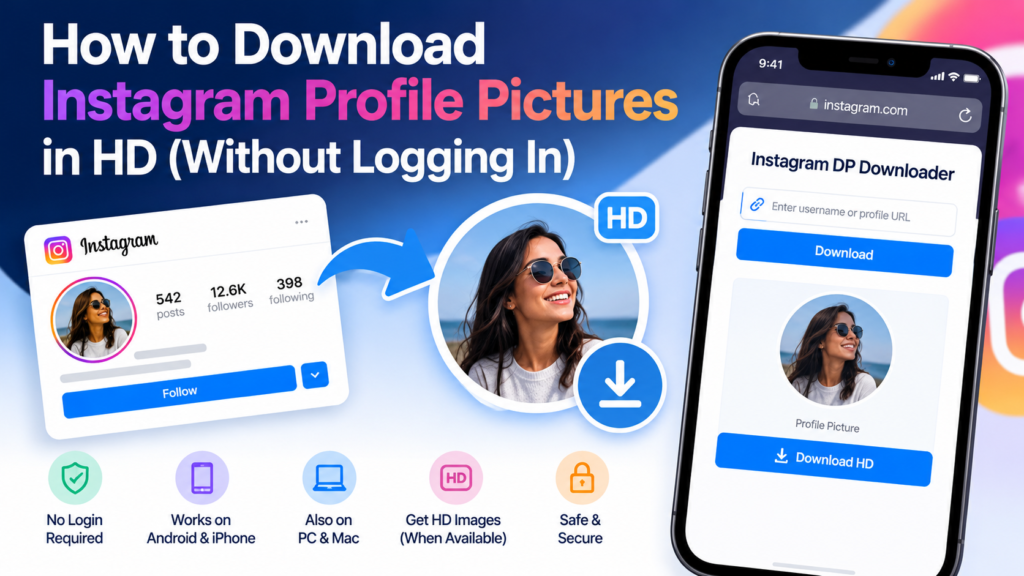
Use a compatible public Instagram profile picture downloader to save an available avatar without signing into your Instagram account. Some online services retrieve publicly accessible images using a username or profile URL.
A no-login downloader does not need your Instagram password. However, whether it can retrieve the image depends on the profile’s accessibility, Instagram’s current image delivery behavior, and the service’s capabilities.
Not every profile picture is available in high resolution through these services. A no-login option also does not grant access to private posts, messages, Stories restricted to followers, or other protected information.
Download Public Profile Pictures Without a Password
Enter the public account username or URL into a suitable downloader and select its search function.
If an image is available, the tool may display a preview and offer a download button.
If a website suddenly requires your Instagram password, avoid entering it. There is no reason to provide account credentials to an unrelated service for a simple public avatar download.
Understand No-Login Download Limitations
Some websites advertise unlimited Instagram DP downloads without registration. Such claims may not account for temporary service interruptions, unsupported profiles, or Instagram platform changes.
A downloader can fail even when the account exists and the picture is visible in Instagram.
Consider these limitations before relying on any service for important files or business workflows.
Protect Your Information While Browsing
Use an HTTPS connection, avoid suspicious redirects, and review the website’s privacy policy.
Remember that not signing into Instagram does not mean a third-party website collects no information. The service may still process submitted usernames and ordinary connection data.
Respect Private Instagram Account Restrictions
Respect Instagram’s private-account settings when attempting to download profile pictures. Private profiles limit access to protected content, and a third-party service cannot legitimately bypass follower approval or other access controls.
An account’s profile photo may remain visible in certain parts of Instagram even when its posts are private. However, a larger downloadable version may not be accessible through an external downloader.
Websites promising to reveal hidden private content should be treated cautiously. These services may use misleading claims to encourage visitors to submit passwords, complete surveys, or install unwanted software.
Check Public and Private Profile Differences
Public Instagram accounts generally allow more profile information to be viewed by people who are not approved followers.
Private accounts restrict access to protected posts and other content. The visibility of a profile photo does not provide permission to access restricted information.
Even when an avatar is publicly visible, downloading and reusing it may involve intellectual property and privacy considerations.
Request the Image Directly When Necessary
If you need another person’s high-quality profile picture for an authorized purpose, asking the account owner to share it is often the most reliable solution.
A directly shared image may have better quality than an Instagram thumbnail.
Permission is particularly important when using someone else’s image in a published article, advertisement, design, or commercial project.
Avoid Private Account Viewer Scams
Be cautious of websites that claim to unlock private Instagram profiles, reveal hidden followers, or access private photos without permission.
Such claims should not be confused with legitimate public profile image downloading.
Never share a verification code, password, or recovery information with these websites.
Fix Instagram Profile Picture Downloader Problems
Fix common Instagram DP downloader errors by checking the username, verifying that the account is accessible, testing another browser, and confirming that the website still supports Instagram profile images.
A failed download may result from an incorrect URL, temporary website issues, browser limitations, unavailable image resources, or Instagram platform changes.
Troubleshooting the problem methodically can save time and reduce the temptation to use unreliable websites.
Fix an Instagram DP That Does Not Appear
First, open the Instagram profile directly to confirm that the username is correct.
Check for spelling errors, periods, and underscores. If the account changed its username, update the link.
Next, refresh the downloader or try another compatible browser. If the image remains unavailable, the problem may be with the downloading service.
Fix Blurry Instagram Profile Picture Downloads
A blurry profile picture usually means that the available image contains limited detail or has been enlarged from a smaller source.
Check the file’s pixel dimensions and compare it with the preview.
If no higher-quality version is accessible, avoid repeated enlargement. For your own profile picture, recover the original uploaded image instead.
Fix an Instagram DP Download Button That Does Not Work
Verify that the button belongs to the downloading service and not an advertisement.
Check your browser’s download permissions and available device storage.
If the service redirects to unrelated websites or requests suspicious permissions, stop using it and choose a safer alternative.
Locate Missing Instagram DP Files
On Android, check the Downloads folder in your file manager.
On iPhone, inspect Safari downloads and the Files app.
On Windows, check File Explorer’s Downloads folder. On Mac, open Finder and select Downloads.
If the file cannot be opened, confirm that it is a valid image rather than an unrelated download.
Protect Privacy and Copyright When Saving Instagram Profile Pictures
Protect your privacy and respect image ownership when downloading Instagram profile pictures. A picture being publicly visible does not automatically grant unrestricted permission to reproduce, redistribute, or use it commercially.
Instagram profile pictures may contain personal photographs, business logos, copyrighted artwork, or professionally licensed images. Their use can be subject to copyright, trademark, privacy, and other applicable rules.
Instagram’s terms also impose restrictions on unauthorized collection of platform information, including certain forms of automated data collection. Evaluate the downloader’s practices and the intended use rather than assuming every publicly accessible image can be collected freely.
Download Images for Legitimate Purposes
Appropriate purposes may include saving your own profile picture, maintaining an authorized business asset archive, or keeping a permitted visual reference.
A brand manager may need to inspect the company’s profile logo. A photographer may want to recover their own avatar. An account owner may want to compare different profile picture designs.
These uses differ from creating impersonation accounts or republishing another person’s photograph without appropriate authorization.
Avoid Reusing Profile Photos Without Permission
If you want to display someone else’s Instagram DP in an advertisement, website, commercial design, or publication, obtain the necessary permission or confirm that you have another lawful basis for using it.
Downloading an image does not transfer copyright ownership.
When in doubt, use your own photos, properly licensed graphics, or images shared directly for the intended purpose.
Choose Downloaders With Clear Security Practices
Review whether the service requires an account, stores submitted information, or includes advertising redirects.
Avoid services requesting passwords, authentication codes, or unnecessary personal information.
Keep your browser updated and use ordinary file-security precautions when opening downloaded content.
Improve Instagram Profile Pictures Before Uploading Them
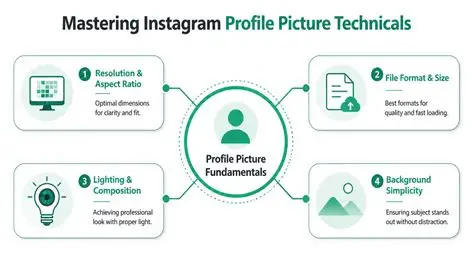
Improve your own Instagram profile picture by starting with a sharp, properly framed image and keeping important elements within Instagram’s circular crop.
An effective profile photo must remain recognizable at small sizes because it appears in several Instagram interfaces. Personal accounts often benefit from a clearly visible face, while business accounts usually prioritize a readable brand mark or distinctive logo.
Image quality depends on the original file, lighting, contrast, and composition. Uploading an already blurry image will not produce a sharp profile avatar simply because the file has large dimensions.
Select a Clear Original Photo
Choose an image with appropriate lighting, accurate focus, and sufficient resolution.
For personal photographs, ensure that the face is clearly visible and not hidden by unnecessary background details.
For business logos, use a clean source file with strong contrast and enough surrounding space.
Prepare the Circular Instagram Profile Crop
Instagram typically displays profile photos in a circular frame.
Place the main subject or logo near the center so important details remain visible after cropping.
Avoid positioning text or facial features too close to the image edges.
Keep Your Instagram Branding Consistent
Businesses and creators can improve recognition by using consistent profile images across relevant platforms.
Maintain similar colors, logos, and visual styling when appropriate.
Save the original artwork separately so future adjustments do not depend on recovering a compressed profile picture.
Get Answers to Common Instagram Profile Picture Downloader Questions
Can I download an Instagram profile picture in HD?
Yes, if the downloader can access a sufficiently detailed image. The available resolution depends on Instagram’s image delivery and the original uploaded photo. Not every tool can retrieve a genuine HD version.
Can I use an Instagram DP downloader without logging in?
Some online Instagram DP downloaders work without login credentials. They usually accept public usernames or profile links. Access to a particular image is not guaranteed.
Can I download Instagram profile pictures on iPhone?
Yes. Open a compatible downloader in Safari, enter the profile link, and save the available image. You may need to move it from the Files app to Photos.
Can I download an Instagram profile photo from a private account?
A private account’s avatar may be visible in some Instagram interfaces, but a third-party downloader may not be able to retrieve a larger version. Private-account protections must not be bypassed.
Does Instagram notify users when someone downloads their DP?
Instagram does not generally provide a notification specifically for downloading a profile picture through an external service. However, platform features and third-party service behavior can change.
Is an Instagram profile picture downloader free?
Many online services advertise free Instagram DP downloads. However, features, usage limits, advertising, and reliability differ between websites. Choose a service that does not request unnecessary permissions or account credentials.
Conclusion
An Instagram profile picture downloader offers a convenient method to view, enlarge, and save accessible Instagram DPs on Android, iPhone, Windows, and Mac devices. By using a correct username or profile URL, checking the available image, and selecting a suitable download option, you can save a profile picture without complicated software.
For the best results, prioritize genuine image quality rather than advertised pixel dimensions. Use browser-based services carefully, protect your Instagram credentials, and avoid websites that promise unauthorized access to private content.
If you are downloading your own Instagram profile picture, the original photo or Instagram’s account information export tools may provide a better source. If you are saving someone else’s image, respect privacy settings and obtain appropriate permission before reusing it.
A reliable Instagram DP downloading method should make image saving simple while maintaining quality, security, privacy, and responsible use.