Table of Contents
- Why Trust Matters in Employee Self-Service
- Common Problems With HR Self-Service
- Core Features of a Reliable System
- Prepare Policies Before Building the Experience
- Privacy, Security, and Access Controls
- Where Human Support Still Belongs
- Use a Phased Implementation Plan
- Common Questions About Employee Self-Service
- Final Thoughts
Employees should be able to find a benefits rule, submit a time-off request, or ask a payroll question without sorting through outdated documents or waiting for an inbox reply. Well-designed AI agents for HR can make routine support more accessible, but technology alone does not create trust. Employees need answers that are accurate, relevant to their circumstances, and backed by a clear path to human help.
That standard matters as more HR teams explore AI-supported service delivery. SHRM reports that 46% of organizations expect to use AI in HR in 2026, making governance, content quality, and responsible rollout practical priorities rather than future considerations.
Why Trust Matters in Employee Self-Service
Imagine an employee working an evening shift who needs to confirm whether a medical appointment qualifies for protected leave. A self-service system is useful only if the employee can quickly locate dependable guidance, understand what it means, and know the appropriate next step.
Trust drives adoption. When answers are incomplete, generic, or difficult to find, employees return to email, informal messages, and manual tickets. That adds work for HR and can create inconsistent experiences. A trusted system reduces friction by acting as one clear starting point for common questions and requests.
The goal is not to automate every interaction. It is to make routine support easier while protecting the situations that require discretion, judgment, or care.
Common Problems With HR Self-Service
Many employee portals fail for predictable reasons. Policies may be scattered between the handbook, intranet, shared folders, and old announcements. Search may require exact terms that employees do not know. A worker searching “new baby leave,” for example, may not realize the applicable policy uses different language.

Generic answers also cause problems. Eligibility can vary by work location, role, employment status, length of service, or benefit plan. A system that overlooks those distinctions can be misleading even when it pulls from an approved document. Other common gaps include unfinished digital workflows, poor mobile access for frontline staff, and escalations that reach the wrong team without enough context.
Core Features of a Reliable System
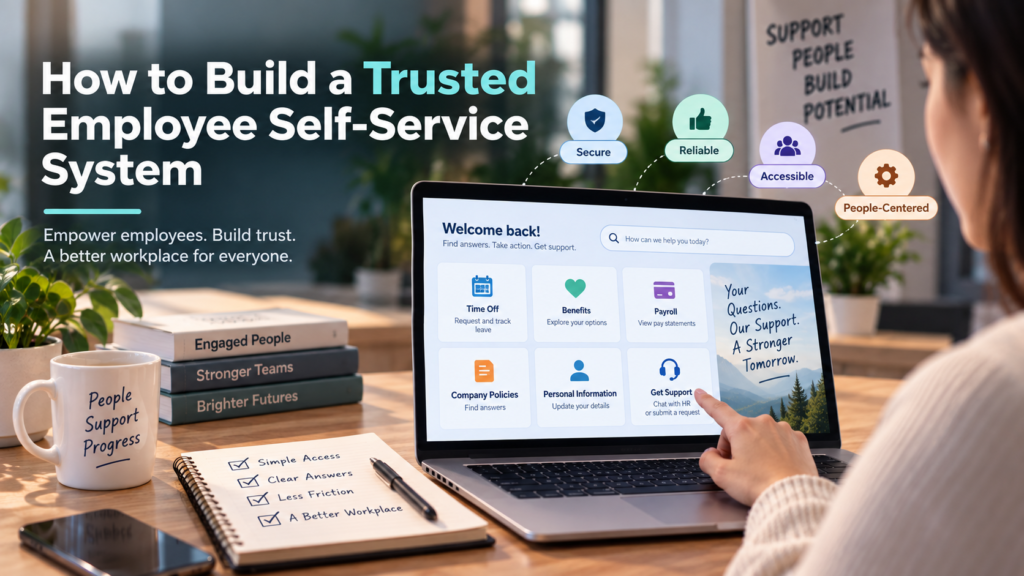
A dependable employee self-service experience combines information, action, and accountability. Its core features should include:
- Plain-language search:Employees can ask naturally phrased questions instead of guessing policy terminology.
- Approved-source answers:Responses are grounded in current internal policies and identified guidance.
- Task completion:Employees can move from an answer to a form, request, update, or checklist when appropriate.
- Personalized access:Information is filtered according to the employee’s role and permissions.
- Accessible channels:The service works in the tools and devices employees use during their workday.
- Human escalation:Complex, sensitive, or unclear cases reach the right specialist promptly.
- Audit records:Important requests and changes can be reviewed for follow-up, accuracy, and compliance needs.
Prepare Policies Before Building the Experience
System quality begins with content quality. Start by establishing one approved source for each major policy area, such as time off, benefits, payroll, onboarding, and workplace conduct. Assign an owner to each source, include effective and review dates, and remove duplicate instructions that create conflicting answers.
Policies should also be translated into short, usable guidance. Dense language may remain necessary in the formal policy, but employees benefit from clear questions, concise answers, and action steps. Separate general information from matters that require case-by-case review.
For example, “How much leave can I carry over?” may require different answers based on location, employee type, plan rules, and the applicable policy year. The system should recognize those boundaries rather than present one answer as universal. Test the most common employee questions before launch, including misspellings and vague wording.
Privacy, Security, and Access Controls
HR self-service may involve personal, payroll, benefits, identity, health, or employment information. Convenience cannot override confidentiality. Use role-based permissions, limit access to the minimum information required, protect data during transmission and storage, and retain records only according to defined business and legal requirements.
Important actions, policy updates, and permissions changes should be logged. Review integrations and vendor access regularly, especially where systems exchange employee data. HR, information security, legal, and employee relations teams should participate in privacy reviews. Employees also need a simple way to flag an incorrect or potentially unsafe answer.
Where Human Support Still Belongs
Automation should support HR professionals, not remove judgment from sensitive work. Human review remains especially important for employee relations concerns, workplace complaints, accommodation or leave cases, disciplinary matters, safety issues, and questions where the policy does not provide a clear answer.
A strong escalation process transfers the employee’s question, relevant details, and prior steps to the HR specialist. That prevents the frustrating experience of having to repeat the same story to multiple people. It also helps HR begin with context while preserving appropriate confidentiality controls.
Use a Phased Implementation Plan
A focused rollout is safer than attempting to automate every process at once. Microsoft’s phased approach to employee self-service deployment emphasizes connected work across governance, content preparation, testing, adoption, and measurement.
- List the highest-volume, lowest-risk questions and requests.
- Review and correct source content before connecting it to the system.
- Choose a pilot group that represents different roles, locations, and schedules.
- Define what the system can answer, complete, or escalate.
- Test difficult cases, including conflicting policies and sensitive topics.
- Explain to employees what the service can do and when to contact a person.
- Review performance and feedback weekly, then expand in stages.
Usage alone does not prove success. Track first-contact resolution, average response and completion time, escalation rates, repeat contacts, employee satisfaction, policy corrections, and changes in routine ticket volume. Establish baseline measures before launch so leaders can judge whether the experience is actually improving support.
Common Questions About Employee Self-Service
Can employee self-service replace HR?
No. It can handle repeatable questions and simple workflows, but HR professionals remain necessary for judgment, empathy, conflict resolution, and complex decisions.
What should be automated first?
Begin with high-volume, low-risk needs such as policy lookups, pay statement guidance, onboarding checklists, routine forms, and time-off instructions.
How can employees tell whether an answer is reliable?
Reliable answers identify the relevant policy, reflect its current effective date, explain the next action, and offer an easy option for human help.
Should every HR process be self-service?
No. Sensitive matters need controlled workflows, clear privacy protections, and trained HR support.
Final Thoughts
Trusted employee self-service is built on accurate content, simple workflows, thoughtful access controls, and human support when judgment is required. The strongest systems do more than answer questions. They help employees complete routine tasks with less effort while giving HR teams more capacity for work that needs experience and care.